For a business traveler who carries a laptop through several stations and wants a 14-inch Windows screen on the train, I’d choose the Lenovo Yoga Slim 7i Ultra Aura Edition. The 14IPH11 starts at 975 g, and its base is just 213.8 mm deep. If your regular seat leaves little room between the armrests, Microsoft’s 13-inch Surface Laptop for Business with Intel is nearly 27 mm narrower. For a traveler who uses macOS at work, the 13-inch MacBook Air M5 falls between them in width. All three need roughly the same amount of tray space from front to back.
How much laptop will fit on the tray?
A laptop’s advertised screen size measures across the diagonal. A tray has two separate limits. Its width determines whether there’s room for a plug or your hand beside the computer. Its usable depth determines how close the keyboard sits to your stomach. A raised lip, a cup recess or a hinge cover can shorten the area that actually supports the feet. On a shared train table, your half of the table matters more than the full tabletop measurement.
| Laptop | Base width × depth | Device weight | Where it earns its space |
|---|---|---|---|
| Lenovo Yoga Slim 7i Ultra, 14IPH11 | 312.6 × 213.8 mm | From 975 g | A light bag and a 14-inch display for reviewing slides between stops |
| Apple MacBook Air, 13-inch, M5 | 304.1 × 215.0 mm | 1.23 kg | A familiar macOS workspace for travelers who want to edit files locally |
| Microsoft Surface Laptop for Business, 13-inch, 1st Edition, Intel | 285.65 × 214.14 mm | 1.24 kg | A shared table where a narrower base leaves room at the side |
These three bases differ in depth by just 1.2 mm. Moving from the 14-inch Lenovo to the 13-inch Surface buys about an inch of space beside the laptop. It barely changes the distance from the front lip to the hinge. If your current computer feels cramped because the seat in front restricts the lid, buying the smallest screen in this table may leave you with exactly the same problem.
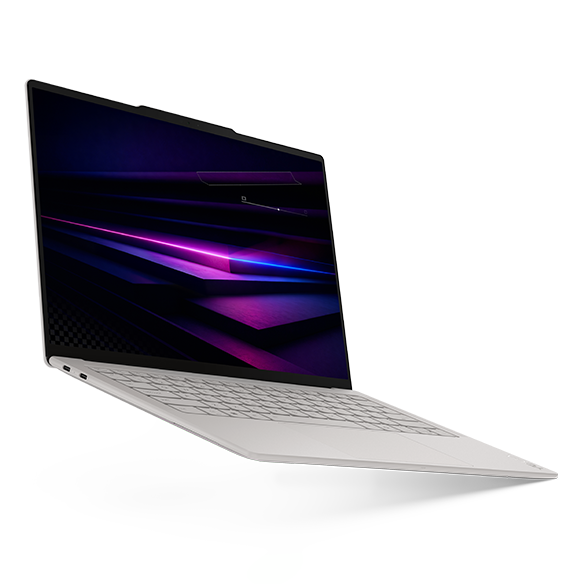
Choose the Yoga for the walk as well as the ride
The Yoga is a good match for a traveler who walks to the station, changes trains and spends an hour reviewing proposals. Its 14-inch, 16:10 display gives a slide deck or a marked-up document room to breathe, while the starting weight saves about a quarter of a kilogram against the Air. That comparison covers the computers alone. If you usually bring a sleeve, a charger and a presentation adapter, put them on the scale together before making the decision.
Lenovo lists three Thunderbolt 4 ports and a glossy OLED touchscreen for the 14IPH11. If your work bag contains a USB-A security key or wired headphones with a 3.5 mm plug, account for the adapter and where it will sit. The glossy screen also makes the narrow range of lid angles on a bright window seat worth trying in person. Open a document with small text and look for your reflection at the angle you would actually use. The exact panel and chassis measurements appear in Lenovo’s product specification for the 14IPH11.
Choose the Surface for elbow room, or the Air for your Mac workflow
Consider the Intel Surface if you share a table with another person or work with a USB-A accessory every day. Its narrower chassis leaves about 13.5 mm more clearance on each side than the Yoga when centered. A native USB-A socket can also save the space a separate hub would occupy. The 3:2 display suits a single portrait document. If most of your trip is spent reconciling two wide spreadsheets side by side, open a real pair on a display unit before choosing that smaller screen. Microsoft’s specifications identify the Intel model, display and ports.
The 13-inch Air makes sense when the files you need already run well on a Mac. Its 13.6-inch display and 304.1 mm width split the difference between the two Windows machines. MagSafe lets you charge while leaving both Thunderbolt ports available, useful if you need an external drive and a display adapter at the next stop. If the trip involves a client’s Excel workbook, try its macros, fonts and required add-ins on your Mac before leaving. An exported PDF can cover a presentation, but it won’t let you edit a broken calculation. See Apple’s technical specifications for the 13-inch M5 Air.
Try the lid angle with two pieces of cardboard
Trace a base from the measurements above and put it where you normally work. If you can measure a regular train table, mark any lip or cup recess too. Fold a second piece of cardboard upward at the rear to stand in for the lid. Use your current laptop’s screen height as a first approximation, or measure a display model for a closer match. Try leaving enough room at the front to reach the trackpad without bending your wrists back.
The useful part is what happens behind the hinge. For example, the top of a 200 mm-tall mock lid tilted 15 degrees back from vertical needs about 52 mm of rear clearance. A seatback can take that away even when every foot of the laptop sits firmly on the tray. The calculation illustrates the geometry. Actual hinge position, lid height and seat shape vary. A surprisingly good purchase check is to reproduce that restricted angle on your existing laptop, open yesterday’s presentation and see whether you can read the speaker notes comfortably.
Set aside one task that works without a connection
Pick a specific deliverable for the journey, such as annotating a proposal or turning interview notes into a first draft. Before leaving, switch off Wi-Fi, open the actual files from the local drive, edit one and save it under a temporary name. Follow any links to charts, embedded videos or reference PDFs. A downloaded presentation can still have an online dependency that only appears when you reach the slide you need. If the material is confidential, use files and viewing arrangements your employer permits in a public seat.
Leave the wide spreadsheet reconciliation or the final color review for a desk if your rehearsal shows it needs one. A single document and a working trackpad are enough to finish many editorial tasks in transit. For a regular route, the choice usually comes down to the constraint you meet every week. The Yoga saves carrying weight across connections, the Surface frees space at your elbows, and the Air keeps an established Mac workflow intact. If the lid is what collides with the seat ahead, try the cardboard check before paying for any of them.
Sources & references
- [1] Lenovo’s product specification for the 14IPH11psref.lenovo.com
- [2] Microsoft’s specifications identify the Intel model, display and portslearn.microsoft.com
- [3] Apple’s technical specifications for the 13-inch M5 Airsupport.apple.com