Choose the desk connection before choosing the laptop. A worker using one power-delivering USB-C monitor has different needs from someone running two displays, a wired headset and several older accessories. For a planned USB-C workspace, the Lenovo Yoga Slim 7i Ultra offers a particularly light Intel Windows route. The ASUS Zenbook S14 is more convenient for mixed direct connections, while the MacBook Air 13-inch M5 provides a documented two-external-display option for a supported macOS workflow. The ThinkPad X1 Carbon, Dell XPS 13 and Framework Laptop 13 offer alternatives for unplugged time, a tight footprint and later upgrades.
These are six recommendations by use case, rather than positions in a universal performance ranking. A laptop that works beautifully with a permanent dock can be awkward in an unfamiliar office; another can avoid adapters but add weight every day. The useful comparison is the computer plus the connections, power supply and software needed to complete the same job.
Documentation checked: 9 November 2026. Hardware facts below come from the named manufacturers. Battery figures identify third-party review samples separately. Suggested configurations and buying decisions are editorial judgments. A port specification describes an available connection; it does not certify an untested combination of laptop, dock, cable, monitor and software.
Start with the workspace you actually use
| Your recurring work situation | First option to examine | Why it belongs on the shortlist | The condition that could change the answer |
|---|---|---|---|
| A USB-C desk at home and frequent carrying | Lenovo Yoga Slim 7i Ultra Gen 11 | Very low starting chassis weight, with three Thunderbolt 4 ports | You also need native HDMI, USB-A or an analog headset connection |
| Home office plus unfamiliar client rooms | ASUS Zenbook S14 UX5406AA | HDMI, USB-A, audio and Thunderbolt are built in | Your bag-weight target is more demanding than approximately 1.2kg |
| macOS work and a quiet desk | MacBook Air 13-inch M5 | Fanless design, MagSafe and documented external-display support | A required application or management policy needs Windows |
| Long stretches away from a socket | ThinkPad X1 Carbon Gen 14, especially an appropriate IPS configuration | A specific IPS review sample demonstrated long WLAN endurance | The retail machine has a different display or processor |
| A small work surface and mostly light Windows tasks | Dell XPS 13 DX13260 | Compact chassis and a lower-priced 16GB configuration | Your workload needs more than the Core 5 version's fixed memory limit |
| A machine maintained and upgraded over several years | Framework Laptop 13 AMD Ryzen AI 300 Series | Replaceable memory and storage with documented repair routes | Your priority is the lightest possible complete travel kit |
The shortlist deliberately includes different ownership models, operating systems and port arrangements. It is not an exhaustive survey of every regional notebook. Gaming-first systems, large mobile workstations and computers whose essential configuration could not be identified are outside this comparison. A specialist GPU requirement can override every recommendation here.
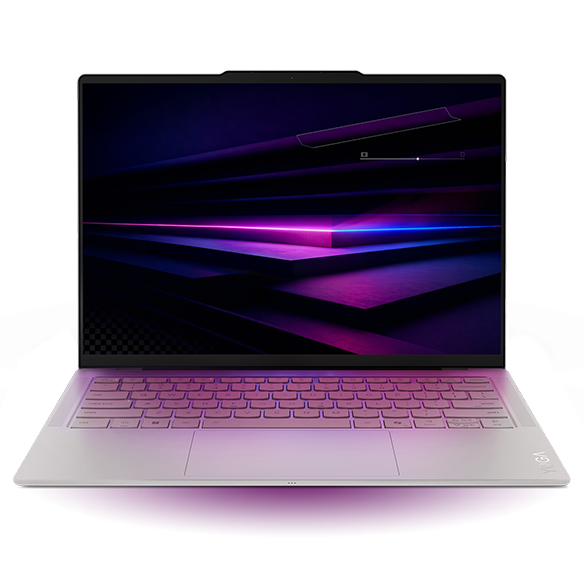
1. Lenovo Yoga Slim 7i Ultra Gen 11 — Best for a light Intel laptop with a planned USB-C desk
Specifications
| Item | Documented specification or configuration boundary |
|---|---|
| Model identity | Yoga Slim 7 Ultra 14IPH11; marketed as Yoga Slim 7i Ultra Aura Edition Gen 11 in the US |
| Processor and graphics | Core Ultra Series 3 options; the Ultra 7 355 uses Intel Graphics, while specified X7/X9 options use Arc B390 |
| Memory | 16GB, 32GB or 64GB soldered; choose capacity at purchase |
| Screen | 14-inch 2880 × 1800 OLED touchscreen, up to 120Hz |
| Storage | One M.2 2242 slot; Lenovo lists offerings up to 2TB |
| Weight and battery | From 975g; 75Wh battery |
| Connections | Three Thunderbolt 4 ports; no built-in HDMI, USB-A or 3.5mm audio socket |
| Official buying option | Lenovo US configuration page |
Specification source: Lenovo PSREF. Availability of combinations is market dependent. 1
Reasons to buy / reasons to consider alternatives
| Reasons to buy | Reasons to consider alternatives |
|---|---|
| Low starting weight reduces the computer portion of a frequently carried kit | A hub, adapter or USB-C headset may be essential rather than optional |
| Three Thunderbolt ports provide several physical connection points | Memory cannot be expanded after purchase |
| Intel Windows can preserve an existing x86 Windows environment | The cited OLED sample was not the endurance leader in this comparison |
Buy it if / Skip it if
| Buy it if | Skip it if |
|---|---|
| You already have a verified USB-C or Thunderbolt desk and need to carry the laptop often | Your regular destination expects a direct HDMI cable and you do not want to carry an adapter |
| A 14-inch screen is preferable to the smaller XPS display | Your workday depends on long, unpredictable periods without access to power |
The Yoga's strongest argument begins at the bag, rather than a benchmark chart. For a consultant who writes reports at a docked desk and carries the computer to meetings, a low chassis weight is useful every time the journey happens. It does not require a claim that this is the fastest or best-value notebook in the group.
At the desk, its missing older connectors may have little practical effect if the monitor and peripherals are already attached to a compatible dock. Away from that desk, the same omissions become more visible. A direct USB-C display connection, a separate power supply and a wireless mouse create a different requirement from a projector, USB-A receiver and wired analog headset. Write down the latter arrangement before assuming a three-port laptop needs no accessories.
The battery evidence also keeps the recommendation conditional. Notebookcheck's Core Ultra 7 355, 32GB, 1TB OLED review unit weighed 978g and completed its WLAN test in 10 hours 36 minutes. That result belongs to that sample and procedure; it is neither a forecast of a day filled with calls nor a result for every Yoga configuration. 3 If reliable access to a desk charger is part of your routine, the weight trade-off can make sense. If charging opportunities are uncertain, examine the ThinkPad evidence before deciding.
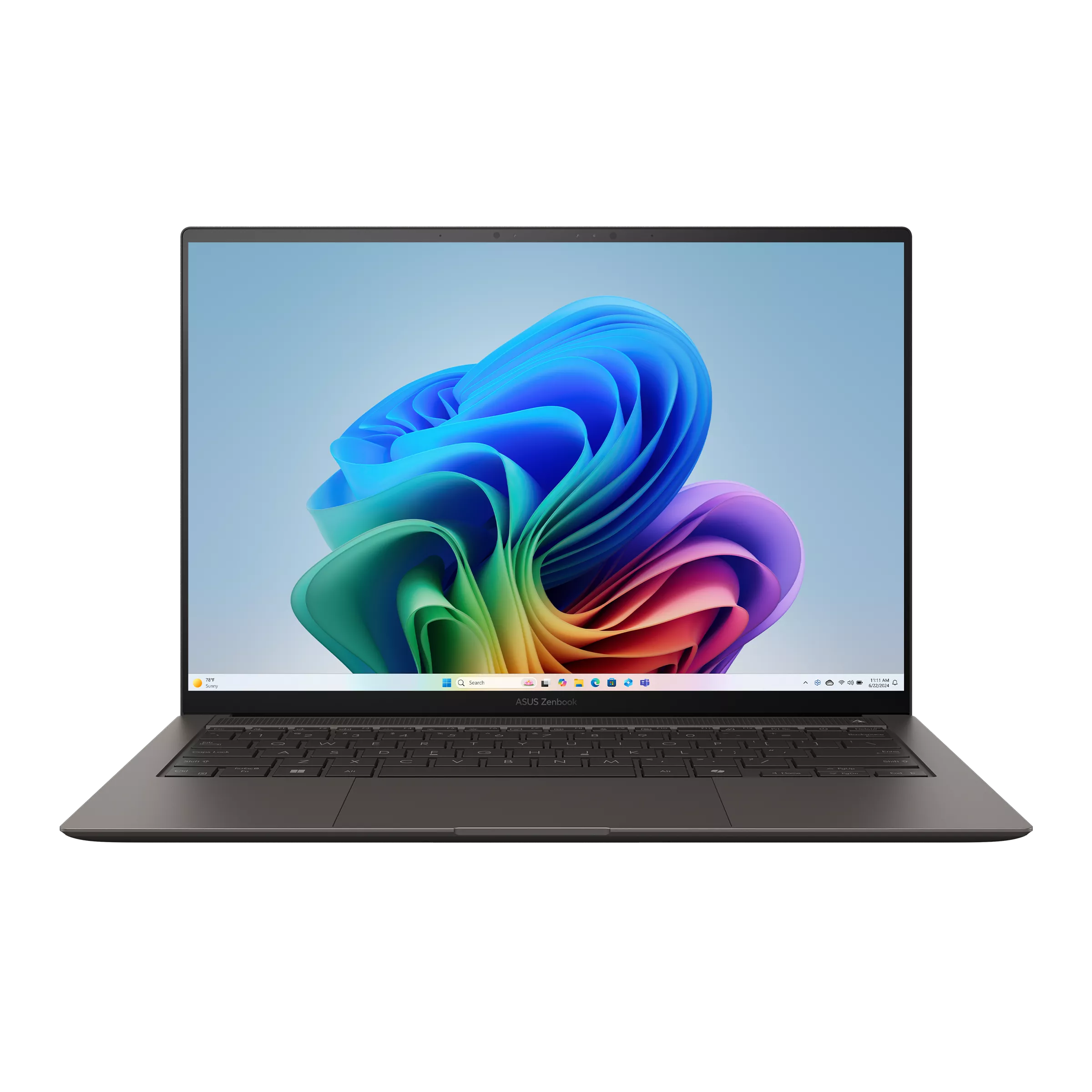
2. ASUS Zenbook S14 UX5406AA — Best for a desk-and-travel kit with fewer port adapters
Specifications
| Item | Documented UX5406AA specification |
|---|---|
| Processor and graphics | Listed Ultra 7 356H or Ultra 9 386H; Intel Graphics |
| Memory and storage | 32GB onboard; 1TB SSD with one M.2 2280 PCIe 4.0 slot |
| Screen | 14-inch 2880 × 1800 OLED touchscreen, 120Hz |
| Weight and battery | 1.20kg; 77Wh |
| Connections | Two Thunderbolt 4, HDMI 2.1 TMDS, USB-A and 3.5mm combo audio |
| Official buying option | ASUS specifications and regional buying route |
Reasons to buy / reasons to consider alternatives
| Reasons to buy | Reasons to consider alternatives |
|---|---|
| Direct HDMI, USB-A and audio can simplify destination connections | More chassis weight than the Yoga's published starting figure |
| 32GB gives a clear capacity reference for a substantial multitasking configuration | Onboard memory fixes the capacity for the ownership period |
| A 14-inch display supports laptop-only work between desk sessions | OLED finish and reflections deserve a personal check in the intended room |
Buy it if / Skip it if
| Buy it if | Skip it if |
|---|---|
| You frequently connect to different meeting-room displays and familiar older accessories | Your essential requirement is a sub-kilogram Intel laptop |
| You prefer to plug in an analog headset without another device in the chain | Your application requires a discrete GPU with a specific certification |
The S14 is an especially useful comparison when the travel kit has become a collection of small adapters. Its direct connections can replace some of those separate items. That does not automatically make the complete S14 kit lighter; weigh the actual alternatives. It does make the connection route shorter and easier to explain when another person is helping set up a room.
At a permanent desk, a dock may still be convenient. The difference is that leaving the dock at home does not also remove the laptop's HDMI and USB-A connections. A worker who uses one home monitor and then visits offices with unpredictable equipment has a concrete reason to value this arrangement.
Independent evidence provides an additional comparison point without establishing universal performance. Notebookcheck's Ultra 9 386H, 32GB, 1TB sample weighed 1,205g and ran for 16 hours 11 minutes in its 150-nit WLAN test. 5 That is evidence for the reviewed configuration, not proof of 16 hours of video meetings or a prediction for the older SA model. Its role here is a balanced desk-and-travel configuration, with carrying weight as the main compromise against the Yoga.
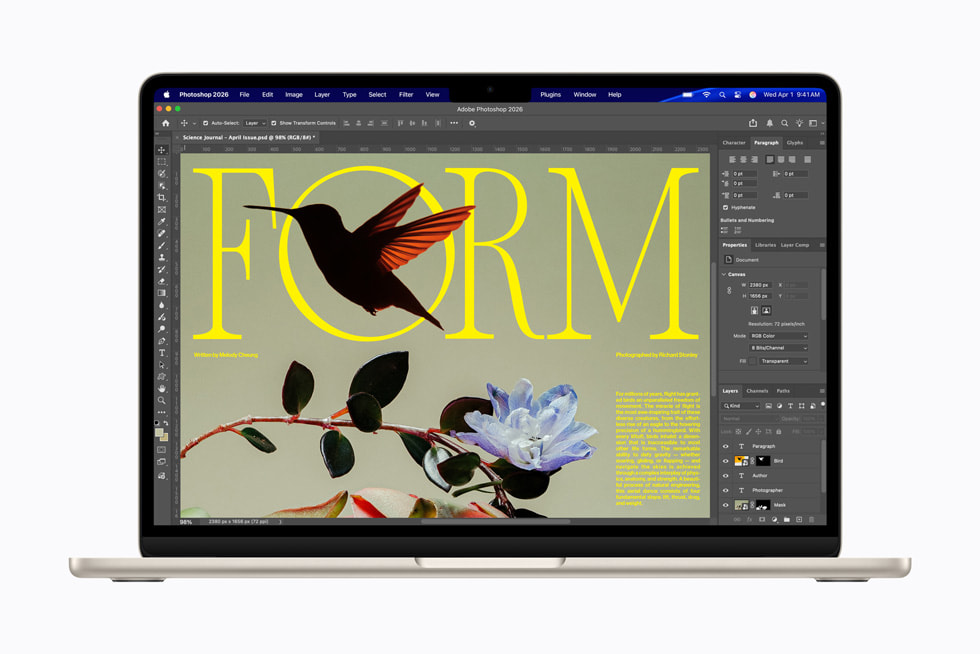
3. Apple MacBook Air 13-inch M5 — Best for a fanless macOS desk that travels
Specifications
| Item | Documented 13-inch M5 specification |
|---|---|
| Platform | Apple M5, macOS; fanless design |
| Memory and storage | 16GB standard, configurable to 24GB or 32GB; 512GB base storage |
| Screen and weight | 13.6-inch 2560 × 1664 IPS; 1.23kg |
| Connections | Two Thunderbolt 4, MagSafe 3 and headphone socket |
| Display support | Up to two external displays plus the built-in screen, within Apple's specified resolution and refresh-rate limits |
| Official buying option | Apple's identified 16GB/512GB configuration |
Sources: Apple's specifications and M5 introduction. 6
Reasons to buy / reasons to consider alternatives
| Reasons to buy | Reasons to consider alternatives |
|---|---|
| Fanless operation removes fan noise from the computer | Required Windows software or corporate support rules may exclude it |
| MagSafe can handle charging without taking a Thunderbolt socket | No direct HDMI or USB-A connection |
| Apple documents a useful two-external-display arrangement | Memory choice is permanent; sustained workload suitability still needs evaluation |
Buy it if / Skip it if
| Buy it if | Skip it if |
|---|---|
| Your applications and organization support macOS and you value a quiet workstation | An essential peripheral or application has no supported macOS route |
| You want the same machine for a desk display and light travel work | Your paid workload repeatedly requires long, sustained processing that warrants an actively cooled workstation |
The Air makes the most sense when the software decision has already been made. For a macOS-supported professional working in documents, browser tools, communication apps and occasional content creation, a fanless portable can be pleasant at a small desk. Silence is a physical design property here; it is not a measurement of call quality or an assertion that every application runs equally well.
The display specification matters because older MacBook Air advice may no longer describe the M5. Apple states that the M5 model supports two external displays alongside its own screen. 9 That still leaves a purchasing task: verify the dock's actual Mac support, the intended display modes and the cables. A dock listing two video sockets does not by itself prove it can provide the independent desktops you want.
For battery context, Notebookcheck's entry M5 review used an 8-core-GPU, 16GB, 512GB configuration and recorded 16 hours 11 minutes in its 150-nit WLAN test. 10 This does not establish the runtime of a different GPU or capacity option during a full working day. Buy the memory your workload needs rather than treating a low base price as permission to ignore the next several years of use.
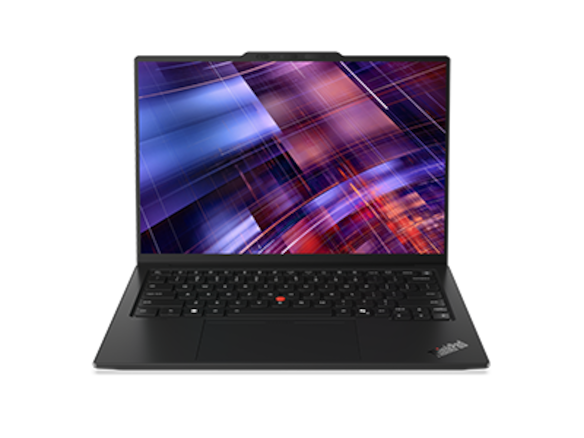
4. Lenovo ThinkPad X1 Carbon Gen 14 — Best for a travel schedule with substantial unplugged work
Specifications
| Item | Documented family scope |
|---|---|
| Platform | Intel Core Ultra Series 3 options |
| Memory and storage | Soldered memory configurations; one M.2 2280 SSD slot |
| Display | 14-inch IPS and OLED options; identify the actual panel before comparing runtime |
| Connections | Three Thunderbolt 4, HDMI, USB-A and 3.5mm audio |
| Weight reference | Published starting weights vary with configuration; do not substitute these for the reviewed IPS unit's 1,139g |
| Official buying option | Lenovo US identified configuration page |
Family specifications: Lenovo PSREF. 11
Reasons to buy / reasons to consider alternatives
| Reasons to buy | Reasons to consider alternatives |
|---|---|
| The cited IPS sample has strong independently measured WLAN endurance | A different panel can materially change the comparison |
| Direct ports can suit both a desk and unfamiliar rooms | Warranty response and international coverage require an actual service quote |
| It offers another Windows option when endurance matters more than minimum chassis weight | Soldered memory still needs a forward-looking capacity decision |
Buy it if / Skip it if
| Buy it if | Skip it if |
|---|---|
| You can identify an IPS configuration close to the review sample and regularly work without sockets | You assume the lightest OLED version will reproduce the IPS battery result |
| Your organization supports this exact model and offers a useful service arrangement | A lower-priced machine already meets your connectivity and endurance requirements |
The important buying unit is an X1 Carbon configuration, not the family name. Notebookcheck's model 21V70075GE combined a Core Ultra 5 325, 32GB, 512GB and an IPS screen. It weighed 1,139g and achieved 23 hours 13 minutes in the review's 150-nit WLAN test. 13 Combining that runtime with a lighter OLED sample would create a computer that was never tested.
For remote workers, endurance is useful beyond travel itself. An unplanned room change, shared office without a convenient socket or temporary power problem can make a longer-running configuration valuable. The editorial inference is about tolerance for interruptions; it is not a claim that the ThinkPad has a measured lower failure rate.
Its direct ports also reduce dependence on a single dock when moving between locations. Nevertheless, do not pay an enterprise premium simply because the badge sounds reassuring. Obtain the written coverage for your country of purchase and destinations, including service method and exclusions. A product family cannot promise a repair response by itself.
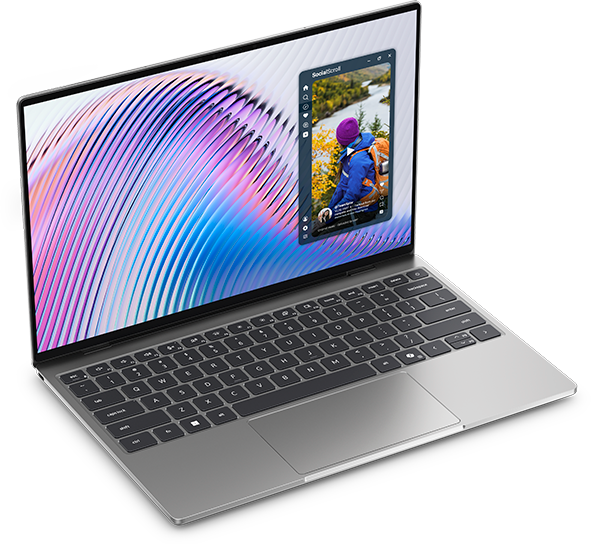
5. Dell XPS 13 DX13260 — Best for a compact Windows workspace with carefully chosen memory
Specifications
| Item | Documented distinction |
|---|---|
| Chassis and screen | 296.9 × 200.66mm footprint; 13.4-inch 2560 × 1600 touchscreen |
| Core 5 version | Two 10Gbps USB-C ports with display and charging support; fixed memory up to 16GB |
| Core Ultra version | Two Thunderbolt 4 ports; different available memory configurations |
| Direct legacy connectors | No HDMI, USB-A or analog headset socket |
| Identified US offer | Core 5 320, 16GB, 512GB, Windows 11 Home, Storm: $1,049.99 on the checked Dell page |
| Official buying option | Dell US configuration list |
Port and memory distinctions are documented in Dell's support manual, not inferred from the USB-C connector's shape. 15
Reasons to buy / reasons to consider alternatives
| Reasons to buy | Reasons to consider alternatives |
|---|---|
| A small footprint helps on a crowded desk or narrow table | The smaller built-in display is a compromise when a monitor is unavailable |
| The identified 16GB offer is a concrete price reference | Core 5 memory cannot later grow beyond its documented limit |
| A compact machine can be effective with an established display setup | Two USB-C sockets require deliberate connection planning |
Buy it if / Skip it if
| Buy it if | Skip it if |
|---|---|
| Light office work fits 16GB and a small machine matters more than a large built-in display | You expect local VMs, containers or datasets to outgrow 16GB |
| Your peripheral arrangement works with the exact Core or Core Ultra port specification | You are buying the Core model assuming the Thunderbolt label applies to it |
The lower-priced Core 5 XPS deserves attention precisely because it is not the same purchasing proposition as a high-memory Core Ultra model. For a worker whose largest tasks remain in browser applications and ordinary documents, the 16GB configuration can leave more budget for a good display and the necessary connection hardware. This is a workload-specific value argument, not a benchmark equivalence claim.
Its main risk is buying for the desk and forgetting the journey. A small screen may be easy to pack but less comfortable for comparing two complex documents when traveling without a monitor. Try the actual application layout at a realistic scaling setting. A high pixel count alone cannot tell you whether text and controls will feel large enough.
The $1,049.99 quotation is a US configuration reference checked on 9 November, before tax, rather than a worldwide lowest-price claim. Other listed XPS offers differ in memory, storage, processor and color. Their headline prices do not establish the cost of a like-for-like upgrade.
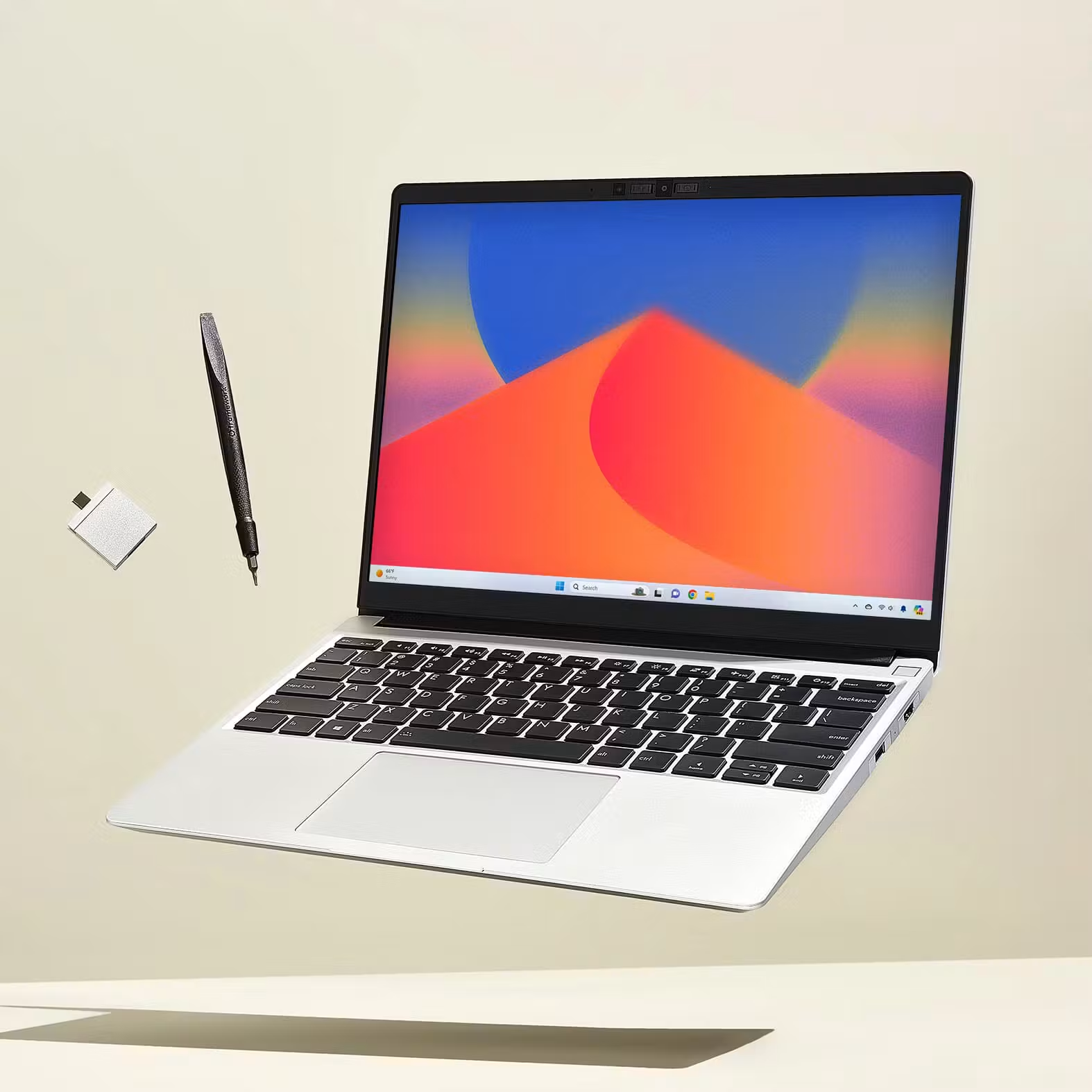
6. Framework Laptop 13 AMD Ryzen AI 300 Series — Best for an upgradeable desk-and-travel machine
Specifications
| Item | Documented configuration boundary |
|---|---|
| Platform | AMD Ryzen AI 300 Series, released in 2025 |
| Memory | Two DDR5 SO-DIMM sockets; manufacturer-validated configurations up to 96GB |
| Screen and weight | 13.5-inch 3:2 matte display; approximately 1.3kg |
| Port arrangement | Four Expansion Card positions; capabilities depend on position and card |
| Storage | Replaceable M.2 NVMe SSD |
| Identified US base prebuilt | Ryzen AI 5 340, 16GB as 2 × 8GB, 256GB, Windows 11 Home: from $1,049 |
| Official buying options | Framework specifications and prebuilt comparison |
Reasons to buy / reasons to consider alternatives
| Reasons to buy | Reasons to consider alternatives |
|---|---|
| Memory can be expanded instead of fixing every future requirement at purchase | Heavier than the lightest candidates |
| Ports can be selected for a particular workspace | Cards have different capabilities and occupy a finite number of positions |
| Published upgrade and repair documentation supports an ownership plan | Available parts and practical turnaround still depend on location and circumstances |
Buy it if / Skip it if
| Buy it if | Skip it if |
|---|---|
| You expect changing memory or storage needs and can manage upgrades responsibly | You need the simplest centrally managed corporate procurement option already approved by your employer |
| You prefer documented component replacement to an entirely fixed configuration | Minimum carrying weight is the decisive requirement |
Framework changes the timing of a buying decision. With fixed-memory machines, an uncertain future workload can force a costly capacity choice today. A replaceable-memory system allows a different plan: buy sufficient capacity for current work, monitor the requirement and upgrade if it grows. That option is valuable only when the owner has the time, authority and skills to use it, or a suitable service provider.
The modular connections also suit a desk that changes over time. Plan the exact card placement using the manufacturer's compatibility guidance; do not assume four physical positions mean four identical high-speed interfaces. A power connection, display and several accessories can still require a dock.
Compare complete machines when budgeting. The $1,049 base prebuilt has 16GB and 256GB, whereas Dell's quoted $1,049.99 configuration has 512GB. Framework's lower DIY headline is not the price of an equivalent ready-to-work Windows laptop. 18 Add the selected storage, memory, software, power supply and cards before deciding which buying route is economical.
One screen, two screens or a dock: define the acceptance test
A desk purchase should name the intended arrangement, rather than simply request “USB-C compatibility.” For one display, write down the monitor model, resolution and refresh rate, its power delivery if used, and the remaining accessories. For two displays, add whether each needs an independent desktop, whether the laptop screen stays active, and the exact dock or direct-cable topology.
The Yoga's PSREF documents up to three external monitors alongside its native display, with limits attached to particular high-resolution modes. 1 That is a platform capability, not an endorsement of every three-output hub. The M5 Air documentation separately establishes two external displays plus its built-in screen. 6 Those two statements should not be translated into identical dock shopping lists: use the dock maker's supported-host and operating-system information for the proposed arrangement.
Dell illustrates a different trap. Its Core 5 and Core Ultra versions both use USB-C-shaped sockets, but the manual identifies different interface specifications. 15 A buyer moving an existing Thunderbolt dock between computers should verify the dock's fallback behavior with the Core model rather than assume that the plugs settle compatibility.
| Desk acceptance test | A useful pass condition | A result that requires investigation |
|---|---|---|
| Attach all intended displays | Each operates independently at the required mode | Mirroring, a reduced mode or a missing display |
| Connect charger, display and peripherals together | Every required device functions and the laptop receives appropriate power | A port plan that works only when another essential device is unplugged |
| Sleep, wake and reconnect | Displays and audio return to the intended arrangement | Repeated manual recovery that disrupts the normal routine |
| Leave the desk and return | The travel setup and desk setup both work with the packed cables | A required cable exists only at home |
| Use a normal sustained desk task | The power arrangement remains suitable during the actual workload | A low-power monitor or hub fails to provide the intended charging behavior |
These are proposed purchasing checks, not claimed results for the six machines. They are particularly valuable within the seller's applicable return period. A specification establishes that a connection can be supported; a repeatable trial establishes that your purchased arrangement works as required.
Compare the whole connection route
| Destination equipment | Built-in-first approach | Dock-first approach | Check before purchase |
|---|---|---|---|
| HDMI monitor, USB-A receiver, wired headset | S14 or X1 Carbon can connect those categories directly | Yoga, XPS or Air need appropriate connection hardware for some items | Exact display mode, headset interface and simultaneous charging |
| A single USB-C monitor that also supplies power | Several candidates can form a compact arrangement | A separate dock may be unnecessary | The monitor's delivered power and the supplied cable's supported functions |
| Two home displays plus laptop screen | Identify the laptop's documented display limits | Choose a dock explicitly supporting the intended operating system and modes | Independent screens, resolution, refresh rate and reconnect behavior |
| A laptop-only hotel desk | Built-in screen and keyboard become the whole workstation | Home docking capability provides no additional screen space there | Comfortable scaling, reflections and the position of the power socket |
USB-C appearance does not settle these questions. Microsoft documents that charging, alternate display modes and cable support can cause different connection failures. 19 Treat the complete chain as the unit to verify. A more expensive dock cannot add every missing function to every laptop.
Battery evidence, price and a practical buying decision
| Reviewed configuration | Reported WLAN result | What the result can support | What it cannot establish |
|---|---|---|---|
| Yoga 14IPH11, Ultra 7 355, 32GB/1TB, OLED | 10h36m | A reference for that light OLED review unit | A full day of conferencing or the runtime of an X7/X9 configuration |
| S14 UX5406AA, Ultra 9 386H, 32GB/1TB | 16h11m at 150 nits | A reference for the identified AA sample | Equivalent results from the older SA model |
| Air 13 M5, 8-core GPU, 16GB/512GB | 16h11m at 150 nits | A reference for that entry configuration | Identical runtime during demanding creative work |
| X1 Carbon 21V70075GE, Ultra 5 325, 32GB/512GB, IPS | 23h13m at 150 nits | A reason to investigate that IPS configuration | The same endurance from a lighter OLED model |
Sources: the four identified Notebookcheck reviews. 310 Their common WLAN label improves context, but separate review units and execution dates do not create a simultaneous controlled comparison. No missing result is replaced with an advertised maximum. These are not estimates of your working day.
For price, request a complete quote with the same required memory, storage, operating system, display and warranty scope. Include the dock or adapter that the job actually needs. Keep tax and regional eligibility consistent. A laptop costing less by itself can become the more expensive working arrangement after an avoidable peripheral replacement.
For a USB-C-equipped desk and frequent travel, start with the Yoga and verify the kit. For mixed destination connections, start with the S14. For a supported macOS workflow, the Air is a strong alternative. For substantial unplugged work, inspect an identified IPS X1 Carbon. The compact XPS and upgradeable Framework become the better answers when footprint or future maintenance matters more than a universal headline specification.
For the connection decision, see Portable Laptop Guide’s comparison of USB-C hubs, docks and direct connections. Use that comparison to decide whether the desk needs a full dock, a compact adapter or a direct monitor cable before buying extra hardware.
Sources
- Lenovo Yoga Slim 7 Ultra 14IPH11 PSREF — configuration, ports, weight and display documentation.
- Lenovo US Yoga Slim 7i Ultra configuration route.
- Notebookcheck Yoga 14IPH11 review — identified review sample, not manufacturer runtime.
- ASUS Zenbook S14 technical specifications — distinguish AA and SA columns.
- Notebookcheck Zenbook S14 2026 review.
- Apple MacBook Air specifications.
- Apple 13-inch M5, 16GB/512GB buying configuration — purchasing route, without an asserted current price.
- Apple introduces MacBook Air with M5 — design and platform context; launch prices are not current offers here.
- Apple external-display support by MacBook Air generation.
- Notebookcheck MacBook Air 13 M5 entry review.
- Lenovo ThinkPad X1 Carbon Gen 14 PSREF.
- Lenovo US X1 Carbon configuration route.
- Notebookcheck X1 Carbon Gen 14 IPS review.
- Dell US XPS 13 DX13260 configuration list — identified offer checked 9 November 2026, before tax.
- Dell XPS 13 DX13260 external ports.
- Dell XPS 13 DX13260 memory.
- Framework Laptop 13 AMD Ryzen AI 300 specifications.
- Framework US AMD prebuilt comparison — base configuration and quoted starting price checked 9 November 2026.
- Microsoft: fix USB-C problems in Windows.