The Lenovo Yoga Slim 7i Ultra, MacBook Air 13-inch M5 and ASUS Zenbook S14 are strong starting points for different graduate-school routines. The Yoga suits frequent carrying with Intel Windows; the Air suits a confirmed Mac software environment; the S14 suits students who repeatedly connect classroom displays and wired equipment. Framework, Surface and the other options below address different priorities, including upgrades, document layout and purchase cost.
A graduate student preparing a literature review needs a different computer from one running simulations locally. A researcher with dependable access to university servers may benefit more from a comfortable screen and lighter bag than from a faster laptop processor. Decide which work must happen on the laptop before paying for additional hardware.
This source-based buying guide combines manufacturer specifications, measurements from named original reviews and identified US purchasing configurations. The Best for labels express editorial recommendations for particular study routines, rather than measured category wins. The selection considers software fit, carrying needs, screen and connections, capacity, upgrade options and purchase cost.
The main recommendations serve writing, reading, coursework, moderate local analysis and access to university computing. Research that depends on local CUDA acceleration, certified workstation graphics or sustained high-performance computation may require a mobile workstation or desktop-based research setup instead.
Specifications, original review evidence and identified US purchasing references checked on 9 November 2026. Prices below refer to named configurations before tax. Review measurements remain attached to their tested units.
The best choices at a glance
| Laptop | Editorial use case | Published chassis weight | The main decision |
|---|---|---|---|
| Lenovo Yoga Slim 7i Ultra Gen 11 | A premium Intel Windows laptop carried between several buildings | From 975g; reviewed unit 978g | Very low carrying mass versus USB-C-only connectivity |
| Apple MacBook Air 13-inch M5 | Writing, reading and research in an established Mac environment | 1.23kg | Software fit and the memory selected at purchase |
| ASUS Zenbook S14 UX5406AA | Teaching, presentations and connected Windows coursework | 1.20kg | Native HDMI and USB-A versus lighter alternatives |
| Dell XPS 13 DX13260 | A compact Intel Windows purchase with a lower priced 16GB route | From 1kg | Core 5 and Core Ultra configurations have different limits |
| Framework Laptop 13, AMD Ryzen AI 300 | A long programme where repair and later upgrades matter | 1.3kg | Replaceable parts versus a thinner, lighter sealed design |
| ASUS Zenbook A14 UX3407NA | Light campus carrying with native ports and an approved Arm setup | 990g | Required applications and device drivers |
| Microsoft Surface Laptop 13-inch, 2nd Edition | A taller touchscreen workspace for papers and documents | 1.23kg | Windows Arm support; touch does not include pen input |
| LG gram Pro 16Z90U | A larger built-in workspace without a conventional large-laptop weight | Global OLED specification: 1.199kg | Identified US manufacturer model: out of stock; check regional offers |
| Lenovo ThinkPad X1 Carbon Gen 14 | An endurance-oriented configuration or a useful departmental purchase | From 977g; reviewed IPS-touch unit 1.139kg | The exact panel, processor and support package |
| ASUS Vivobook S14 S5406SA | Several wired accessories connected at the same time | 1.30kg | The quoted memory, panel and available seller configuration |
Manufacturer starting weights and measured review weights describe different things. In particular, the X1 Carbon's lowest family weight cannot be combined with the endurance of its heavier IPS-touch review unit. Chargers, protection and peripherals are additional to every chassis figure here.
Start with the work your department actually requires
Before comparing brands, obtain the required applications and release numbers, any essential toolboxes or extensions, and the laboratory devices that must connect. Include the university's remote-access and security tools. The name of a degree does not establish those requirements.
Three distinctions make the shortlist easier to use:
- Reading and writing: prioritise a comfortable document layout, keyboard, usable unplugged time and enough memory for the applications normally open together.
- Local analysis: size memory and storage around representative data and projects. A faster processor cannot compensate for an unsupported package or insufficient memory.
- Workstation or server research: establish where the heavy computation will run. If it stays on university equipment, choose the laptop around access, editing and presenting the results. If it must run locally, the necessary GPU or software certification may take the purchase beyond this shortlist.
The ten choices cover Intel, AMD, Apple silicon and Snapdragon platforms, plus different screen sizes and upgrade approaches. They are a selective comparison rather than a complete market survey. Older models still offered through an identified channel can be useful alternatives; their inclusion is not a claim that they are the newest generation.
Original-review measurements are included for the Yoga, Air, S14, XPS and X1. Framework, A14, Surface, gram and Vivobook are considered here for their documented features and purchasing options; no comparative speed or battery advantage is assigned to those five. This distinction keeps an attractive specification separate from an observed test result.
1. Lenovo Yoga Slim 7i Ultra Gen 11: Best for very light Intel Windows carrying
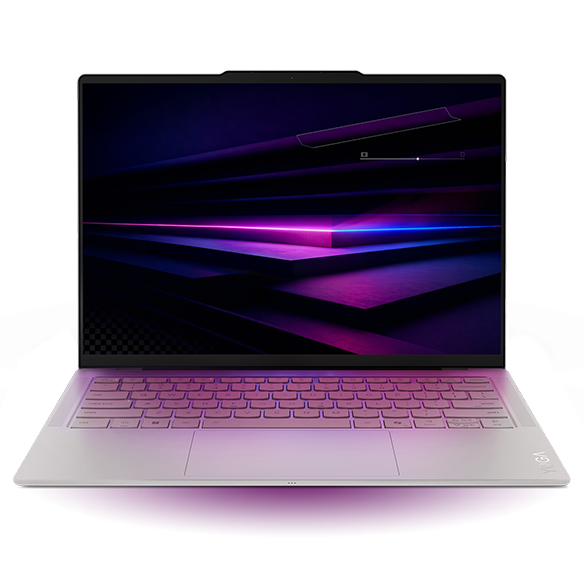
Key facts: 14-inch 2880 × 1800, 120Hz OLED touchscreen; 75Wh battery; three Thunderbolt 4 ports; 16GB, 32GB or 64GB soldered memory options. Lenovo specifications
Advantages: A very light chassis with a 14-inch work surface and an Intel Windows platform.
Trade-offs: No native HDMI, USB-A or headphone socket; the touchscreen does not support an active pen.
The Yoga earns its place when the laptop is picked up repeatedly through the week. It retains a usable screen for a paper, code editor or slide deck while reducing the computer's contribution to the bag. That is a concrete advantage for a student moving between home, seminars and shared research space.
Notebookcheck's Core Ultra 7 355, 32GB/1TB review unit weighed 978g. It recorded 10h36m in the publication's Wi-Fi browsing test. Those results support the carrying argument while showing why the Yoga should not automatically lead an endurance-based choice. The same review's Windows Pro installation also does not establish the OS edition of a separate retail offer. Original review
For this model, 32GB is a configuration worth comparing if substantial local multitasking is expected. The memory cannot be expanded later. Also distinguish processor options: the Ultra 7 355 uses Intel Graphics; higher-tier Arc B390 specifications belong to other configurations. Its strongest case is low carrying mass within a suitable Windows setup, with the required peripherals and OS edition accounted for.
2. Apple MacBook Air 13-inch M5: Best for a confirmed Mac research workflow
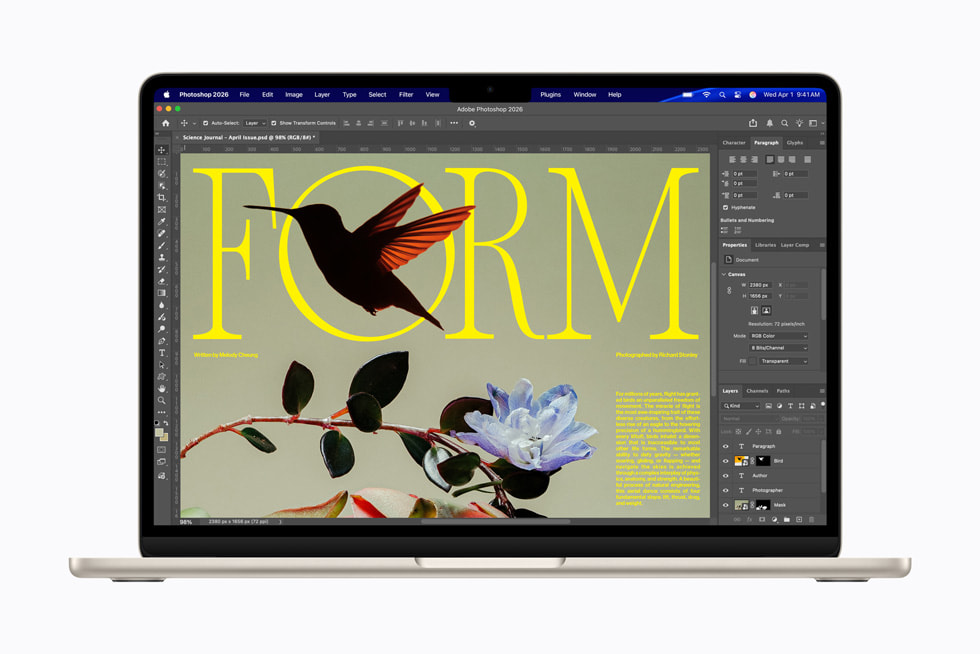
Key facts: 13.6-inch IPS display; 1.23kg; 16GB base memory, configurable to 24GB or 32GB; two Thunderbolt 4 ports, MagSafe charging and a headphone socket. Apple specifications
Advantages: Fanless cooling suits quiet work; MagSafe leaves both Thunderbolt ports available while charging.
Trade-offs: No touchscreen, HDMI or USB-A; memory capacity must be chosen at purchase.
The Air is a sensible first comparison for a student whose required software already works on macOS. Its appeal comes from an established working environment and a compact, quiet design, rather than a promise that every graduate discipline should use a Mac. Apple's fanless construction is a physical feature; it does not establish the best speed for every sustained research task. Apple design information
Notebookcheck's entry M5 sample had an eight-core GPU, 16GB memory and 512GB storage. It weighed 1,230g and achieved 16h11m in the 150-nit Wi-Fi test. A more expensive 32GB configuration is a separate purchase, not the machine measured by that result. Original review
MATLAB is one example of the necessary software check. MathWorks supports current Apple-silicon Macs, but its Mac requirements exclude some products and GPU capabilities. A successful base MATLAB installation therefore does not settle the suitability of a laboratory workflow. Choose the Air when your applications, extensions and research files already have a supported Mac route. MathWorks Mac requirements
3. ASUS Zenbook S14 UX5406AA: Best for teaching and classroom connections
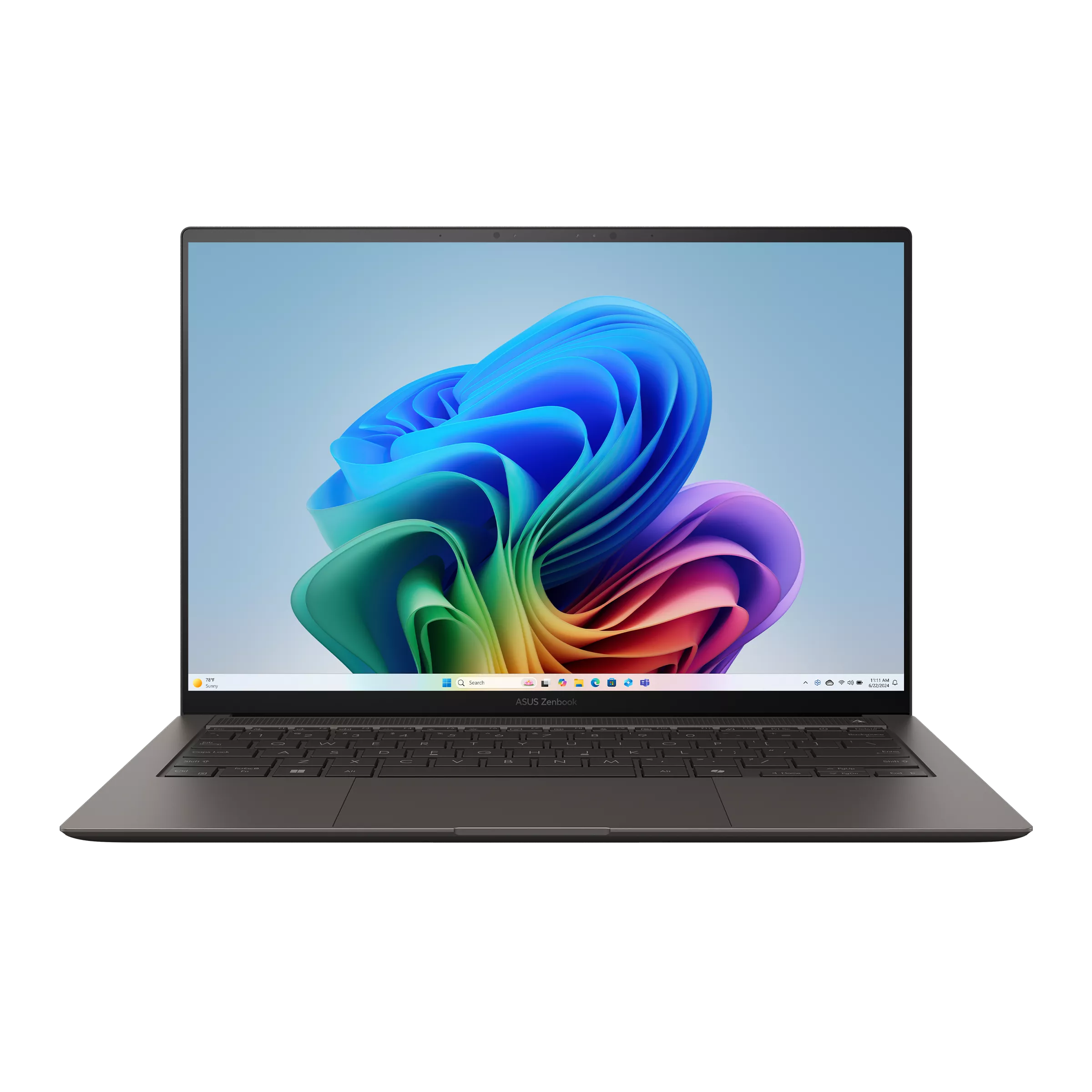
Key facts: 14-inch 2880 × 1800, 120Hz OLED touchscreen; 32GB onboard memory; 77Wh; two Thunderbolt 4 ports, HDMI, USB-A and audio; listed 1.20kg. ASUS specifications
Advantages: Common presentation and accessory connections are built in; 32GB provides a useful capacity reference for multitasking.
Trade-offs: More chassis weight than the Yoga; the AA generation's Intel Graphics should not be confused with a different processor's flagship GPU.
A teaching assistant who moves between lecture rooms has a clear reason to favour the S14. Connecting an HDMI display and a USB-A receiver is a routine task rather than a rare exception. Native ports reduce the number of separate pieces needed to perform it.
That benefit can also matter at a shared desk, where an older peripheral remains in use. The port establishes a connection option; the device still needs a compatible driver. For specialised acquisition equipment, use the department's actual operating sequence during the purchase check.
Notebookcheck measured 1,205g and 16h11m of Wi-Fi browsing at 150 nits for an Ultra 9 386H, 32GB/1TB sample. Its processor differs from the Ultra 7 356H also offered in this family. The measured S14 was 227g heavier than the reviewed Yoga, a straightforward carrying difference to weigh against the direct connections. Original review
Choose the S14 when those connections are used repeatedly. Check the UX5406AA suffix on the offer; earlier SA models share the family name but use different hardware.
4. Dell XPS 13 DX13260: Best for a compact Intel Windows purchase
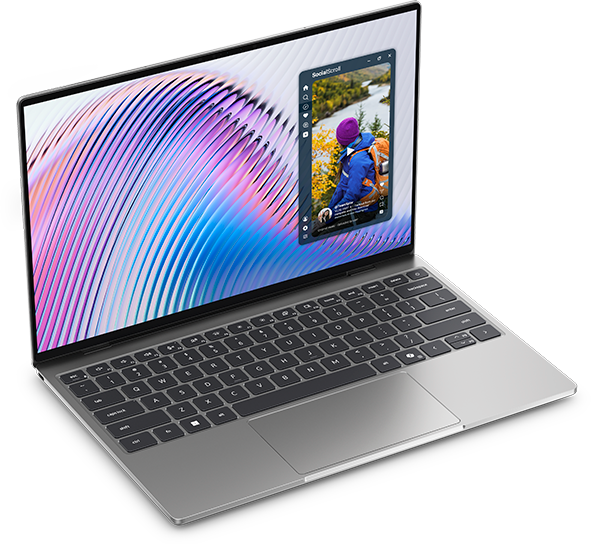
Key facts: 13.4-inch 2560 × 1600 touchscreen; 296.9 × 200.66mm footprint; 52Wh; Core 5 or Core Ultra configurations; manufacturer starting weight 1kg. Dell configurations
Advantages: A compact enclosure; an identified 16GB/512GB Core 5 purchase route costs less than the higher-capacity Ultra offer checked here.
Trade-offs: No HDMI, USB-A or headphone socket; memory and port specifications change with the processor route.
For a student doing document work, browser research and remote computing, the lower priced Core 5 configuration deserves consideration before a premium upgrade. The official US page listed $1,049.99 for Core 5 320, 16GB/512GB and Windows Home at this check. It is a specific offer, rather than a claim that the XPS is the cheapest suitable laptop available.
The configuration distinction matters. Core 5 has non-upgradeable memory documented up to 16GB and two USB-C 10Gbps ports. Core Ultra configurations use a different memory arrangement and provide Thunderbolt 4. Buying the cheaper processor therefore changes more than a benchmark result. Dell memory documentation · Port documentation
The original Core 5 review measured 1,062g and 18h26m of Wi-Fi browsing, but its sample had 8GB/512GB. Those figures are not measurements of the recommended 16GB offer. Choose the XPS for its compactness and a suitable quoted configuration; compare the Ultra route if the project needs more memory. Original review
5. Framework Laptop 13 AMD Ryzen AI 300: Best for repair and future upgrades
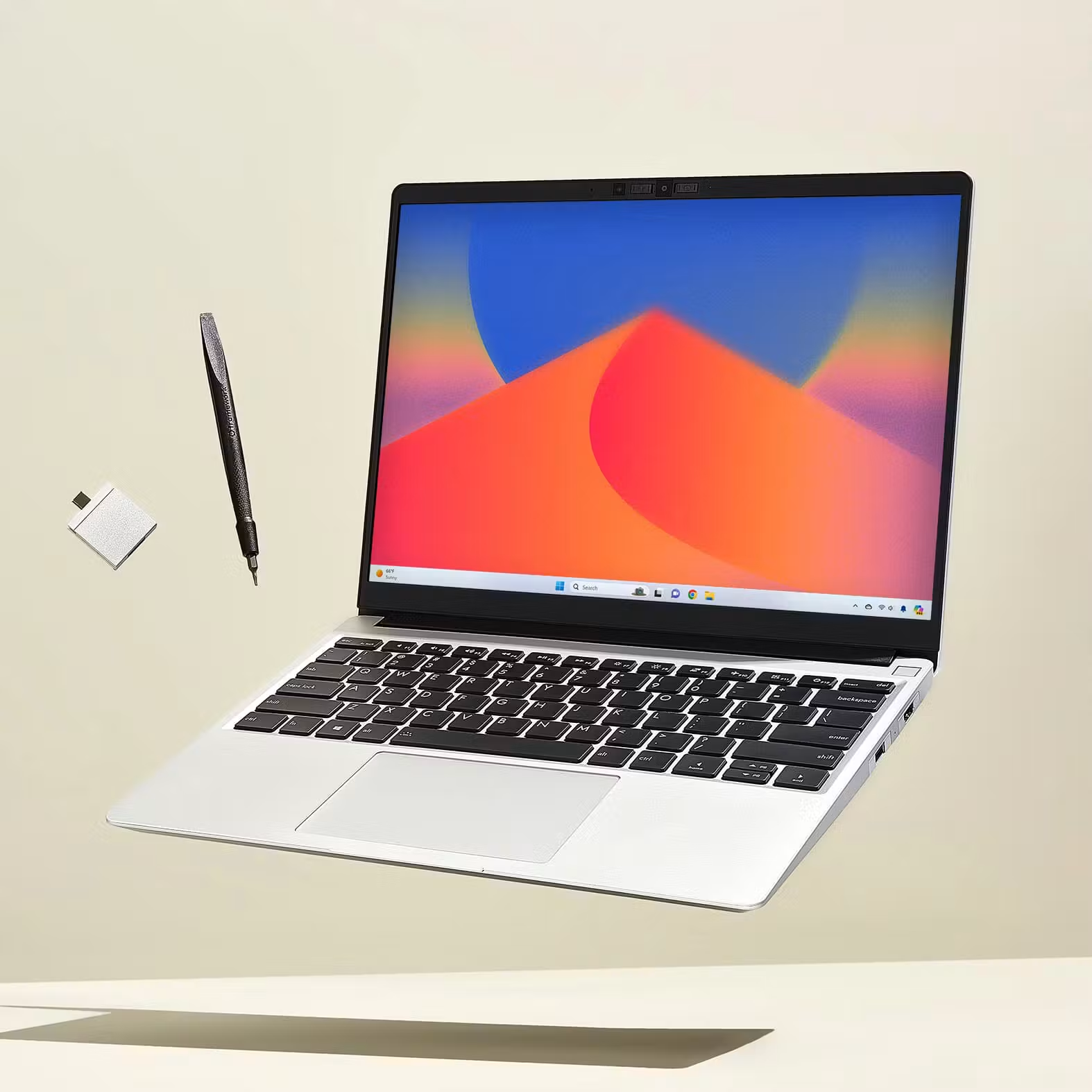
Key facts: 13.5-inch, 3:2 matte display; manufacturer weight 1.3kg; 61Wh; replaceable storage and two DDR5 SO-DIMM slots; four selectable Expansion Cards. This is the 2025 Ryzen AI 300 model, distinct from Laptop 13 Pro. Framework specifications
Advantages: Memory and storage can be changed after purchase; configurable physical connections and documented repair routes.
Trade-offs: Heavier than the sub-1kg choices; a DIY starting price excludes components that a finished laptop needs.
Framework serves a different ownership strategy. A research project may grow beyond its first dataset, or the student may want to replace a worn component rather than buy a complete computer. Accessible memory and storage make those changes a practical option. Framework validates memory configurations up to 96GB for this platform; that ceiling is an option, not a suggested purchase for every student. Supported memory
The pre-built starting configuration checked here was $1,049, with Ryzen AI 5 340, 16GB memory, 256GB storage and Windows Home. It includes a power adapter and Expansion Cards. Compare a larger storage configuration if local research files will outgrow 256GB. Pre-built comparison
A Linux project also benefits from checking the model-specific support matrix rather than assuming that any distribution will work equally well. Match the university's software requirements to a supported installation. That documented upgrade and repair flexibility is the reason to consider Framework for a long programme. Linux support
6. ASUS Zenbook A14 UX3407NA: Best for light carrying with familiar ports on Arm
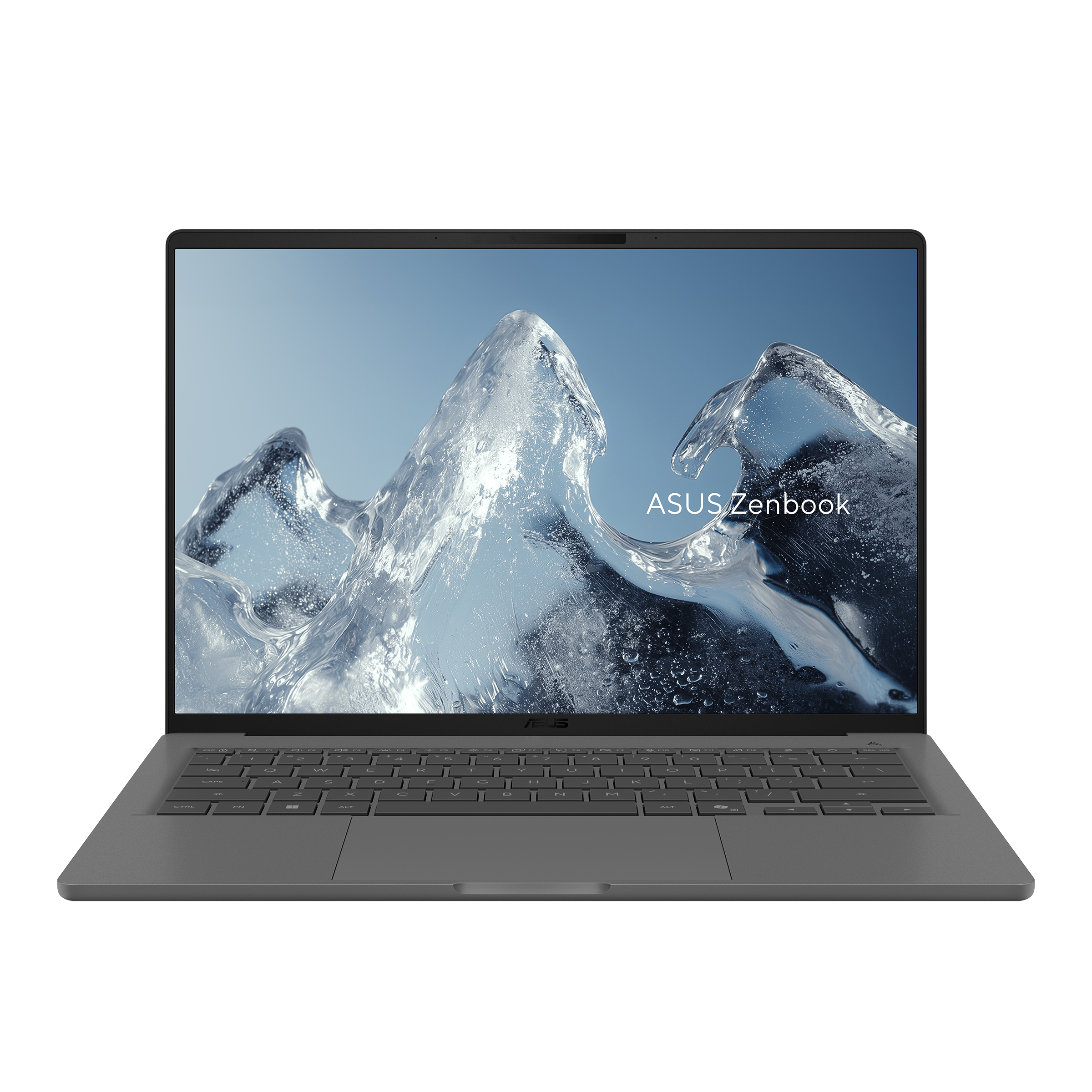
Key facts: Snapdragon X2 Elite; 14-inch 1920 × 1200, 60Hz non-touch OLED; 70Wh; 990g listed weight; two USB4 ports, HDMI, USB-A and audio. ASUS specifications
Advantages: Low manufacturer-listed mass while retaining common sockets.
Trade-offs: Windows Arm compatibility requires application and driver checks; this NA display is neither touch nor high refresh rate.
Based on its listed configuration, the A14 is worth comparing with an Intel ultralight when the student uses a supported software set. Its combination of low listed weight and native connections is the attraction. A student who regularly connects an HDMI display or USB-A accessory has a concrete reason to investigate it beside the Yoga.
Avoid reducing the decision to a few grams. The A14's 990g is an official specification, while the Yoga's 978g figure is a measured sample. More importantly, the machines use different processor architectures. Those differences should be settled by the required software and devices before a weight preference decides the purchase.
Microsoft explains that many x86/x64 applications can run through emulation, but connected hardware needs appropriate drivers. Current MATLAB Windows requirements include Snapdragon X-series devices through Prism, with capability limitations. Neither statement guarantees a particular instrument or add-on. Microsoft Arm guidance · MATLAB Windows requirements
Choose the A14 when that complete environment works and the native ports are useful. The model suffix matters: do not borrow specifications from the QA, RA or other A14 columns.
7. Surface Laptop 13-inch, 2nd Edition: Best for reading on a compact 3:2 touchscreen
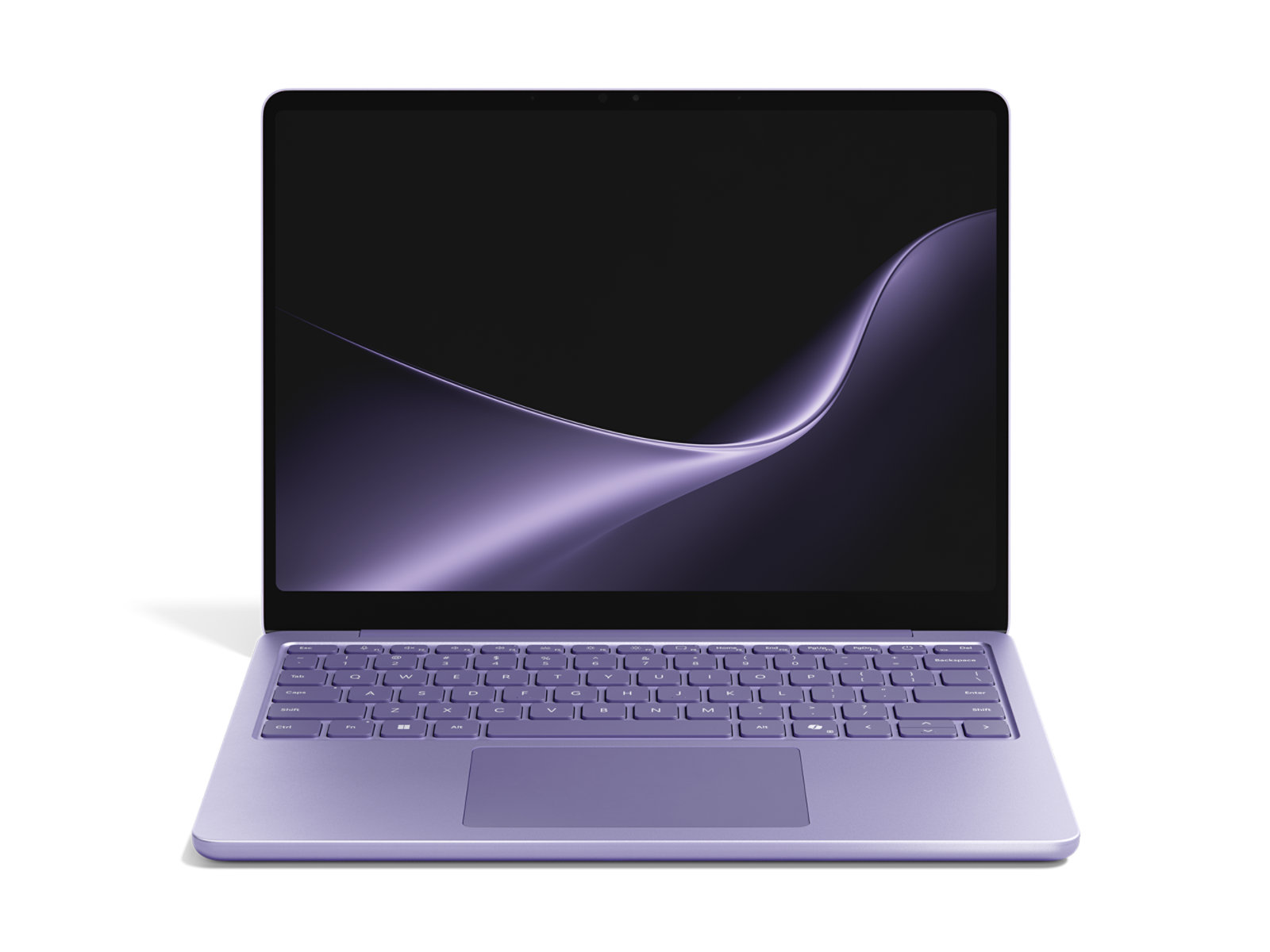
Key facts: Snapdragon X2 Plus; 13-inch 1920 × 1280, 3:2 touchscreen; listed 1.23kg; USB-C, USB-A and audio. The consumer 16GB/512GB reference uses UFS storage and Windows Home. Microsoft configuration and specifications
Advantages: A taller display shape for document layouts; touch and common accessory connections in a compact body.
Trade-offs: No Surface Pen or Slim Pen support; do not assume Thunderbolt or NVMe storage from the Surface family name.
Screen shape is a reasonable reason to choose a laptop. A 3:2 panel can suit a student who spends hours moving between a paper and a writing window. Try that arrangement at a comfortable text size: diagonal size alone does not show how much material the layout will display.
The current consumer 2nd Edition is the model discussed here. First Edition and business versions have different specifications or options. Microsoft's consumer page listed $1,299.99 for 16GB/512GB and $1,499.99 for 24GB/512GB, with a 45W USB-C wall charger included. Select memory around the actual application set; it is not a promised later RAM upgrade.
As with the A14, this is a Windows Arm purchase. The published screen format makes it worth trying with the documents you normally read, once the research workflow is supported. If handwritten equations or PDF pen annotation are central, compare a genuinely pen-capable convertible or tablet instead of assuming that a touchscreen supplies that function.
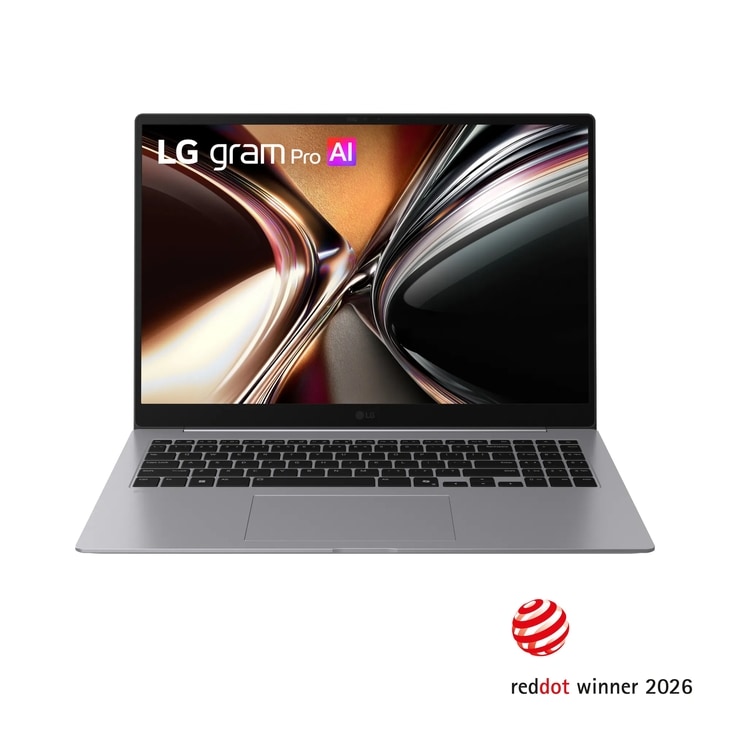
8. LG gram Pro 16Z90U: Best for more built-in workspace, subject to local availability
US purchasing status, 9 November 2026: The specific 16Z90U-K.AUB6U1 manufacturer listing was out of stock. It is not an available US purchase offer in this comparison; regional stock and quotations need separate confirmation. Identified US listing
Key facts: Global 16Z90U OLED specification: 16-inch 2880 × 1800 display; 1.199kg; 77Wh; two Thunderbolt 4 ports, two USB-A ports, HDMI and audio. Regional configurations differ. LG global specifications
Advantages: A much larger work surface at a low published chassis weight for its size; useful built-in connections.
Trade-offs: A larger bag and desk footprint; a high priced or unavailable local configuration can remove the reason to buy it.
The gram deserves attention when the laptop is the student's main screen. Comparing a wide results table, reading a figure alongside its explanation or editing two documents can make a larger panel useful throughout the day. At the same 16:10 shape, a 16-inch display has approximately 31% more rectangular area than a 14-inch one: (16 ÷ 14)² − 1. This is a geometry calculation, not a promise of 31% more readable content at every resolution and scaling setting.
The physical dimensions still matter. LG lists 357.7 × 251.6mm for this global model, so check the bag and normal study desk rather than treating its low weight as a compactness measurement.
Treat the gram as a regional configuration to investigate when a 16-inch workspace matters. Compare an available local quotation with the complete cost of a smaller laptop and a monitor at the desk.
9. ThinkPad X1 Carbon Gen 14: Best for long reading sessions with a specified IPS configuration
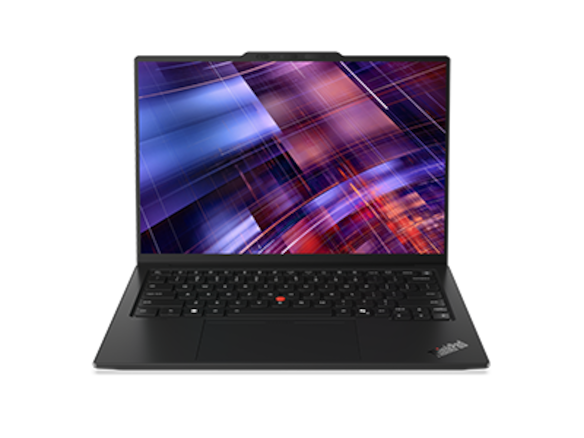
Key facts: 14-inch IPS or OLED options; 58Wh; soldered memory options up to 64GB; three Thunderbolt 4 ports, HDMI, USB-A and audio. Lenovo specifications
Advantages: Strong identified IPS-sample endurance; native connections useful for teaching and shared equipment.
Trade-offs: Display choice changes the weight and battery comparison; institutional value depends on the actual quote and services.
The reason to investigate this X1 is specific. Notebookcheck's 21V70075GE, with Core Ultra 5 325, 32GB/512GB and a low-power IPS touchscreen, weighed 1,139g and recorded 23h13m of Wi-Fi browsing at 150 nits. That is compelling evidence for long document sessions in this configuration. It is not the weight or runtime of every X1 Carbon. Original IPS review
A departmental purchasing arrangement can strengthen its case if it includes support the student will use. Compare the precise repair handling, OS installation and any replacement-device arrangement described in the offer. A business product name alone does not include those services.
For a personal purchase, compare the cost against the S14, XPS and other suitable Windows models. The measured IPS result supports investigating that configuration; it does not establish a battery champion across all ten retail choices. Any premium should also be supported by the actual purchasing package.
10. ASUS Vivobook S14 S5406SA: Best for a desk with several wired accessories
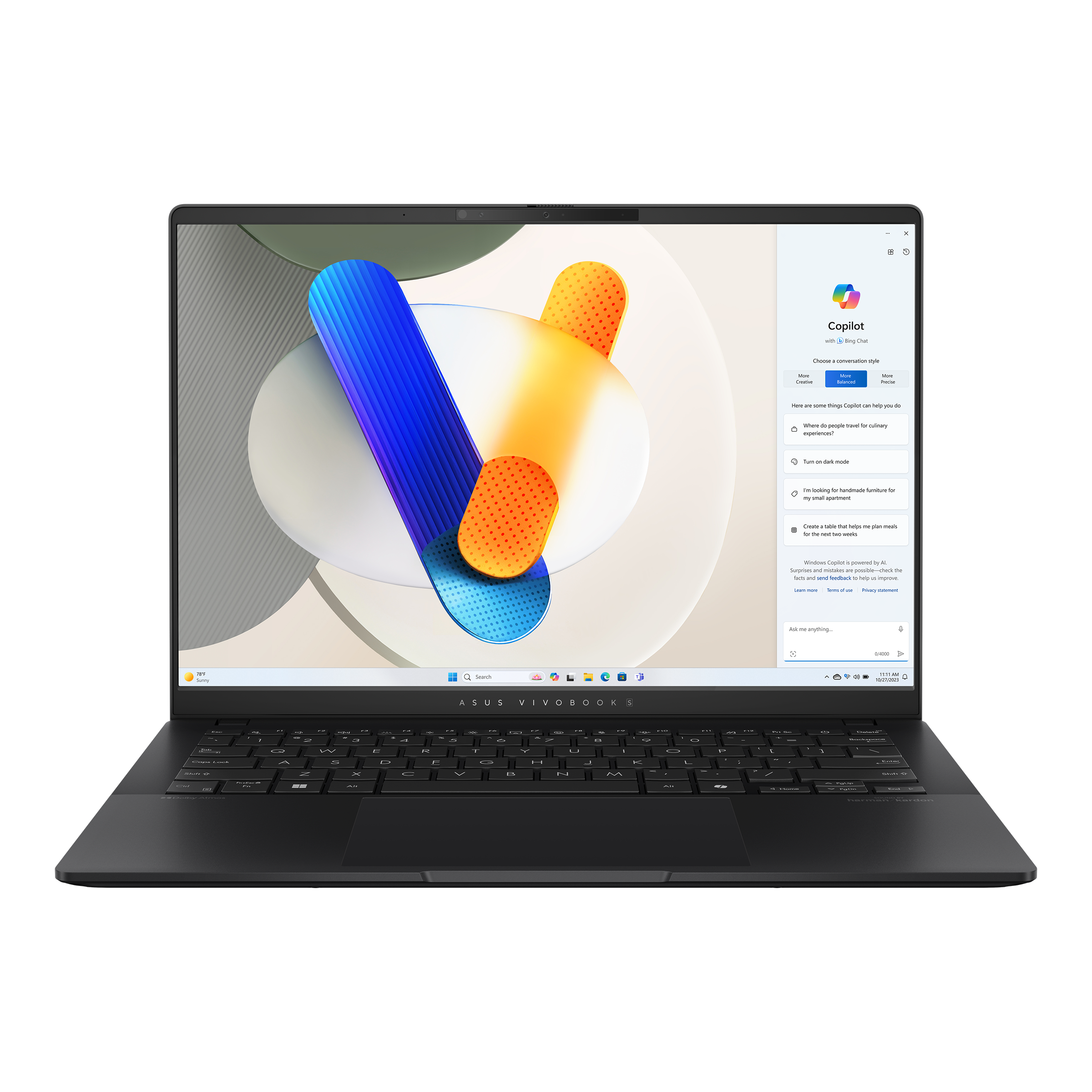
Key facts: Published S5406SA family specifications include a 14-inch 1920 × 1200, 60Hz non-touch OLED; 1.30kg; 75Wh; two Thunderbolt 4 ports, two USB-A ports, HDMI and audio. Separately, the S5406SA-SB76 purchasing listing identifies Core Ultra 7 256V, 16GB memory and Windows Home; it does not establish the complete screen and storage configuration. ASUS family technical table · Named model and channel
Advantages: Several familiar connections can remain attached without immediately consuming a hub.
Trade-offs: The 256V configuration's 16GB memory cannot be expanded; the family name covers different generations and panels.
This Vivobook is relevant when the computer routinely sits among wired accessories. A receiver, storage device and display can create a different connection requirement from an otherwise similar student using only Wi-Fi. Its second USB-A port is a concrete difference from the Zenbook S14.
Keep the configuration precise. ASUS's SA technical table lists 1TB M.2 storage and distinguishes its panel from broader family marketing. Check the seller's complete SB76 specification before ordering, including the display and storage. The current manufacturer channel page identified a seller, but did not provide a fresh price suitable for a value ranking.
The family specification makes this a connection-focused option to investigate, subject to the complete seller configuration. If the research workload is likely to exceed 16GB, compare a supported 32GB alternative before purchase rather than counting on a later memory upgrade.
Published Battery Test Results: What Different Review Samples Show
These original Notebookcheck results are useful reference points for reading-oriented use. Each row identifies the tested configuration so its runtime can be considered alongside the actual weight, panel and memory. Models are listed alphabetically.
| Reviewed configuration | Measured chassis weight | Published Wi-Fi result | Important limit |
|---|---|---|---|
| Apple MacBook Air 13 M5, eight-core GPU, 16GB/512GB | 1,230g | 16h11m | 150-nit test; larger-capacity offers are separate |
| ASUS Zenbook S14 AA, Ultra 9 386H, 32GB/1TB, OLED touch | 1,205g | 16h11m | 150-nit test; other processors remain unmeasured here |
| Dell XPS 13 DX13260, Core 5 320, 8GB/512GB | 1,062g | 18h26m | The tested 8GB unit is not the proposed 16GB purchase |
| Lenovo ThinkPad X1 Carbon Gen 14, Ultra 5 325, 32GB/512GB, IPS touch | 1,139g | 23h13m | 150-nit test; do not substitute the OLED model's weight |
| Lenovo Yoga Slim 7i Ultra, Ultra 7 355, 32GB/1TB, OLED touch | 978g | 10h36m | The result belongs to the named review sample |
Sources: Yoga, Air, S14, XPS, X1; Notebookcheck's testing method. These figures provide reference points rather than a controlled head-to-head comparison. Display settings, brightness, processors and other configuration differences can affect the results. The Yoga and XPS battery subsections do not restate every screen setting needed to establish a matched comparison here.
Browsing is also different from running a simulation, acquiring data or spending an afternoon in video calls. Use the results to identify plausible candidates, then check a normal study session at comfortable brightness during the applicable return period. Battery capacity in watt-hours is not a substitute for that workload evidence.
Selected US Price References
This selection contains five purchasing references covering four laptop models, not a complete price comparison of all ten. Apple's standard and education rows refer to the same Silver MDH74LL/A M5 configuration. Prices were checked on 9 November 2026, before tax; Apple's current product-offer data were used instead of earlier launch prices.
| Purchasing reference | Identified configuration | Observed price | What to compare |
|---|---|---|---|
| Dell XPS 13 | Core 5 320, 16GB/512GB, Windows Home | $1,049.99 | A compact Intel route with a fixed 16GB ceiling |
| Framework 13 pre-built | Ryzen AI 5 340, 16GB/256GB, Windows Home | From $1,049 | Less starting storage; later upgrades are possible |
| MacBook Air 13 M5, Silver | Ten-core CPU/eight-core GPU, 16GB/512GB | $1,299 | Confirm macOS suitability before comparing price |
| Apple Education Store | The same 16GB/512GB M5 reference | $1,199 | Education eligibility applies; check the current order |
| Surface Laptop 13, 2nd Edition | Snapdragon X2 Plus, 16GB/512GB UFS, Windows Home | $1,299.99 | Different platform and storage implementation |
These are configuration references, not a market-wide price ranking. Framework's base storage is smaller, and Surface's UFS should not be relabelled as another machine's NVMe SSD. The exact Yoga, S14, A14, X1 and Vivobook configurations need current quotes; older promotions are not carried forward as today's offers.
For a student with a lower spending limit, use the same software and capacity requirements to compare available previous-generation or refurbished machines, checking condition and support. A premium ultralight is justified by a benefit the student will use, such as lower carrying mass, a preferred screen or a suitable service arrangement. It is not a prerequisite for graduate-level writing.
How much memory and storage should you choose?
16GB/512GB is a useful starting point for general graduate-study shopping, rather than a universal degree requirement. It gives the comparison a sensible basis for writing, browser research, meetings and modest local work. A student working mainly through remote systems may not need to pay for a much larger configuration.
Investigate 32GB for heavier multitasking or local analysis, using a representative project to judge the need. Virtual machines, larger datasets and several research applications can change the answer. MathWorks currently recommends 16GB for MATLAB; SOLIDWORKS recommends 32GB for its own requirements. Neither statement defines every graduate student's needs. MATLAB requirements · SOLIDWORKS requirements
For fixed-memory machines, capacity should be settled before ordering. Framework's accessible SO-DIMMs provide a different route, but the future parts and work still have a cost. Storage capacity should likewise reflect the files that must remain local, with a separate backup arrangement for research material.
Software checks that can change the recommendation
| Research requirement | What the current official guidance establishes | Purchasing consequence |
|---|---|---|
| Windows software on Snapdragon | Many x86/x64 apps can run through emulation; hardware needs suitable drivers | Test the application, add-ons and connected equipment together |
| MATLAB on Windows Arm | Current requirements include Snapdragon X-series through Prism, with limitations | Verify the required release and toolboxes instead of rejecting or approving Arm wholesale |
| MATLAB on a Mac | Apple-silicon support exists, but some products and GPU features are unavailable | Confirm the complete research task, including hardware interfaces |
| SOLIDWORKS desktop use | Its requirements specify x86-64, supported OS versions and certified graphics; Windows Home is unsupported | An Intel consumer ultralight is not automatically a supported engineering purchase |
| Local CUDA computation | NVIDIA specifies a CUDA-capable GPU and a supported software stack | The integrated graphics and NPUs in this shortlist do not replace the required NVIDIA hardware |
Sources: Microsoft, MathWorks Windows, MathWorks Mac, SOLIDWORKS, NVIDIA CUDA installation requirements.
A practical approval task is to open a representative project, run its normal analysis, use any connected device and export a result another group member can read. For remote research, add the university login, file-transfer route and a workable plan for unavailable network access. That provides better evidence than checking only whether an application launches.
Our recommendation
For an approved Intel Windows workflow and frequent campus carrying, compare the Yoga Slim 7i Ultra and Zenbook S14 first. The Yoga's measured low mass is its strongest distinction; the S14 earns attention when built-in connections remove repeated setup work. The XPS deserves a place in the same comparison when its compact body and identified 16GB offer fit the project and budget.
For a supported Mac workflow, the Air M5 is a strong general-purpose starting point. For a long programme where repair and capacity changes are likely to matter, Framework offers a different ownership advantage. The A14 and Surface are worthwhile Arm choices after the required software and devices have a working route.
The X1's identified IPS configuration merits an endurance-focused enquiry, while the gram addresses a larger-screen requirement and the Vivobook a more connected desk. The final choice should follow the actual project, available configuration and complete cost. None of those decisions is improved by automatically buying the fastest processor or the lightest advertised family variant.
Frequently asked questions
Is an ultralight laptop powerful enough for graduate school?
For writing, reading, presentations and many modest research tasks, it can be. Local simulations, substantial 3D work and GPU research require a separate assessment. Confirm whether those tasks will run on the laptop or on university equipment before choosing the hardware.
Is the lightest laptop the best choice for graduate school?
Low weight helps when the computer is carried frequently, but screen layout, unplugged working time and required accessories also matter. A larger panel can improve a desk-heavy routine, while native ports can simplify classroom use. First establish software fit and the complete purchase cost, then compare the carrying arrangement that will actually be used.
Should I reject Windows Arm if my course uses MATLAB?
No blanket answer is appropriate. Current MathWorks Windows requirements include Snapdragon X-series support through Prism, with limitations. Check the version, toolboxes and laboratory interfaces actually required. MathWorks Windows requirements
Does a touchscreen mean I can handwrite notes with a pen?
No. The Yoga and the Surface 13-inch 2nd Edition discussed here do not support the active pens a buyer might assume from their names. For a handwriting-led routine, choose a device with documented pen support and a suitable physical writing position.
Should I spend more on 32GB or a faster processor?
Start with the limitation of a representative project. If memory is the constraint, a faster processor does not remove it. If the project runs remotely, neither upgrade may be the best use of the budget. Compare fixed-memory configurations carefully because several cannot be expanded later.
What should I test after delivery?
Reproduce the normal workflow: read and annotate using the intended method, edit a document, run the research task, connect the usual accessories and resume after sleep. Check a session on battery at a comfortable brightness. Keep a separate, working backup of important research files.
Further reading: choose around a reproducible research workflow
For readers narrowing this wider shortlist around quantitative research, Portable Laptop Guide compares graduate-student laptop choices for reproducible R and Python research. Its planning examples separate what must run locally from work assigned to a university system and make the software environment part of the purchasing decision. This provides a more specific next step than choosing from a processor label or memory capacity alone; retain the exact configuration and application checks discussed in this guide.
Sources
Manufacturer documents support specifications and purchasing references. Original reviews support only the measurements attributed to their samples. The role recommendations, configuration advice and screen-area calculation are editorial analysis. Product images are credited to their manufacturers and identify the stated model or family; the ordered configuration determines the actual hardware.
- Lenovo: Yoga PSREF, Yoga product and image, X1 PSREF, X1 product and image.
- Apple: Air specifications and image, design and launch information, identified US product offer, education product offer.
- ASUS: S14 specifications and image, A14 specifications and image, Vivobook specifications, Vivobook model and family image.
- Dell: US configurations, memory limits, port specifications, official image source.
- Framework: specifications and image, pre-built comparison, memory compatibility, Linux support.
- Microsoft and LG: consumer Surface 2nd Edition configuration and image, gram global specifications, identified gram US model and image.
- Original reviews: Yoga, Air, S14, XPS, X1 IPS, testing method.
- Software requirements: Microsoft Windows Arm, MATLAB Windows, MATLAB Mac, SOLIDWORKS, NVIDIA CUDA.