Editorial selection: GAC Motoring. Hardware documentation, original reviews and US offer pages checked on 9 November 2026.
How to read this guide: These are ten recommendations for different travel needs. Their display order is not an overall first-to-tenth ranking. Manufacturer specifications describe the hardware; the battery table reports named third-party review samples; the recommendations are our editorial judgments.
A two-night sales trip and a month working from another city can justify different laptops. On the short trip, the computer may spend most of its time on your shoulder. During the longer stay, it may become your main office, with no familiar monitor waiting beside it. The useful question is how the machine will divide its time between being carried and being worked on.
For travelers who put low carrying weight ahead of maximum unplugged runtime and need an Intel Windows laptop with a 14-inch OLED touchscreen, the Lenovo Yoga Slim 7i Ultra Aura Edition Gen 11 is a strong option to compare. An independently reviewed OLED-touch configuration weighed 978g. Its appeal is preserving a 14-inch working display at that measured mass. Its fit depends on the required applications and USB-C connections. Long unplugged sessions, frequent use of native ports or a different budget can make another candidate preferable. Notebookcheck's identified Yoga sample
Below are ten choices for those different arrangements, followed by a configuration-specific battery comparison and same-date US purchase references. Readers seeking another buying perspective can also consult our business-laptop configuration and price overview.
Compare the evidence: Published battery results · Dated US configuration prices.
Start with the trip you actually make
| Travel arrangement | First candidates to compare | What should earn the purchase |
|---|---|---|
| Several destinations, with the computer carried most of each day | Yoga Slim 7i Ultra; Zenbook A14 | Low mass without abandoning the required software environment |
| Work squeezed into limited table space | XPS 13; Yoga | A usable built-in display inside a body that fits |
| Several evenings completing substantial work in accommodation | gram Pro 16; Zenbook S14; MacBook Air | Comfortable document layout, input preferences and the correct applications |
| Long stretches of reading and editing without dependable charging | X1 Carbon with an identified low-power IPS screen | Relevant endurance evidence for the particular processor and panel |
| An extended assignment with employer-controlled hardware | Dell Pro; EliteBook Ultra; X1 Carbon | A written configuration and a usable support route at the destination |
| Straightforward office work with modest capacity needs | OmniBook 5; an appropriate XPS configuration | A sufficient configuration and verified platform support before paying for additional capacity |
The trip length alone settles none of these choices. A long stay can include daily walking; an overnight visit can require hours of detailed editing. Identify the recurring inconvenience before choosing the product that removes it.
What qualifies for this shortlist?
This is a selective editorial shortlist, not an exhaustive market survey or a list based on sales and market share. We examined identifiable configurations through official documentation, US purchase references, portability, connections and platform requirements. Original third-party testing is included where the sample can be identified; gaps remain labelled. Local availability and corporate purchasing terms can make other regional or enterprise models equally suitable.
The selection covers conventional laptops with integrated keyboards and documented USB-C charging, from compact 13-inch-class machines to a lightweight 16-inch option. It serves ordinary professional productivity during mobile days and temporary-office stays. Rugged systems, gaming models, detachables and specialist workstations require separate comparisons.
A required application, security tool or peripheral that lacks support removes a model from consideration. Among the remaining choices, assess the longest regular session on the built-in screen, the space available and the support arrangement you can actually obtain. Those priorities explain the recommendations; manufacturer reputation alone cannot substitute for them. An omitted model is not evidence of an inferior product.
We apply the same decision sequence to every candidate: establish application and device compatibility; select a configuration that provides the necessary screen and connections; then compare carrying burden, relevant measured endurance and the delivered purchase cost. A failing compulsory requirement removes a machine from that buyer's shortlist. The remaining priorities differ between trips, so we do not turn them into a universal weighted score. The Best labels below identify useful roles within this selection.
Lenovo Yoga Slim 7i Ultra Gen 11 — Best for carrying an Intel OLED-touch workspace between stops
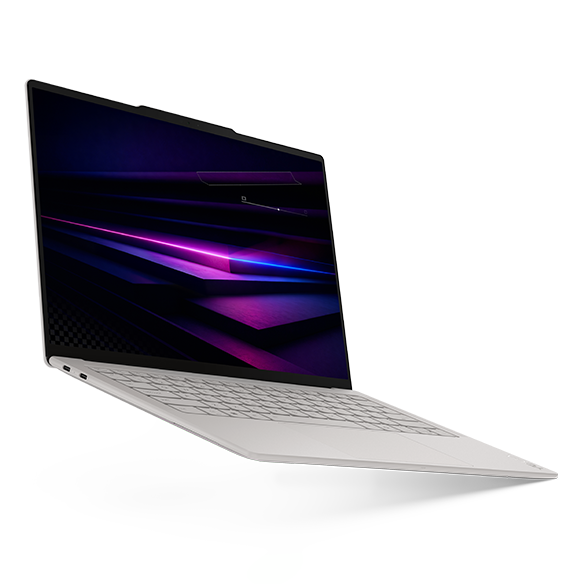
Manufacturer photograph: Lenovo Yoga product page.
Consider the Yoga when the bag follows its owner throughout the day and its low device mass solves a recurring carrying problem. Its 14-inch, 2880 × 1800 OLED touchscreen avoids making a tiny screen the compulsory companion to a light computer. Lenovo documents a starting mass of 975g; Notebookcheck's Core Ultra 7 355, 32GB/1TB review machine measured 978g. These are different forms of evidence, both relevant to its carrying proposition. Lenovo PSREF · Original measured review
On a longer assignment, the same machine can connect to compatible destination equipment through three Thunderbolt 4 sockets. The inconvenience is its lack of HDMI, USB-A and an analogue audio jack. Also select memory for the expected working life: it is soldered, while storage occupies one M.2 2242 slot. Lenovo hardware details
We would move toward the S14 if frequently used connections matter more than lifting less computer. We would consider the gram when the laptop must supply a much larger viewing surface every evening. Yoga's measured lightness is persuasive for a specific mobile routine; it does not establish the best endurance, enterprise service or sustained computing performance.
The expanded evidence makes the trade-off explicit: its reviewed 10h36m Wi-Fi result is the shortest among the eight admitted samples below. We would investigate the X1's low-power IPS route first when long periods without charging matter more than the Yoga's measured mass. At the identified retail offers, the S14 also costs less. Choosing Yoga therefore requires a real carrying or screen preference, not an assumed advantage in every category.
Dell XPS 13 DX13260 — Best for a compact temporary working surface
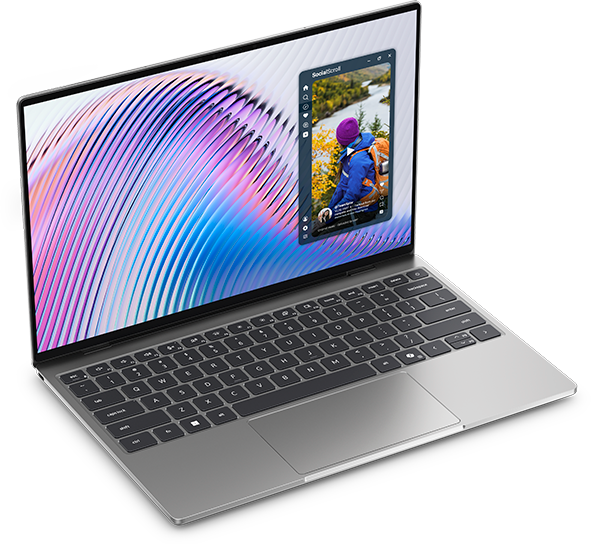
Manufacturer photograph: Dell's XPS announcement.
The XPS deserves attention when width and depth are the practical limits. Dell specifies a 296.9 × 200.66mm body containing a 13.4-inch, 2560 × 1600 touchscreen LCD. A small computer is easier to accommodate beside other items, although its dimensions cannot guarantee that an airline or railway table will be suitable. Dell model documentation
For occasional edits away from a destination monitor, this is an attractive compromise. For a fortnight of writing directly on the laptop, first decide whether the smaller panel remains comfortable. Reducing chassis size saves little frustration if you continually need to rearrange windows to see your work.
The processor choice also changes connectivity. Dell's support manual assigns USB-C 10Gbps to Core models and Thunderbolt 4 to Core Ultra versions. Memory is integrated, so the installed capacity should be settled before ordering. Dell port specification · Dell memory specification
Choose Yoga when the additional screen size and OLED touch are more valuable than the smaller enclosure. Choose S14 when retaining native HDMI and USB-A makes a longer stay simpler. The XPS earns its place through compactness, with the selected platform determining the rest.
ASUS Zenbook S14 UX5406AA — Best for a small office established at the destination
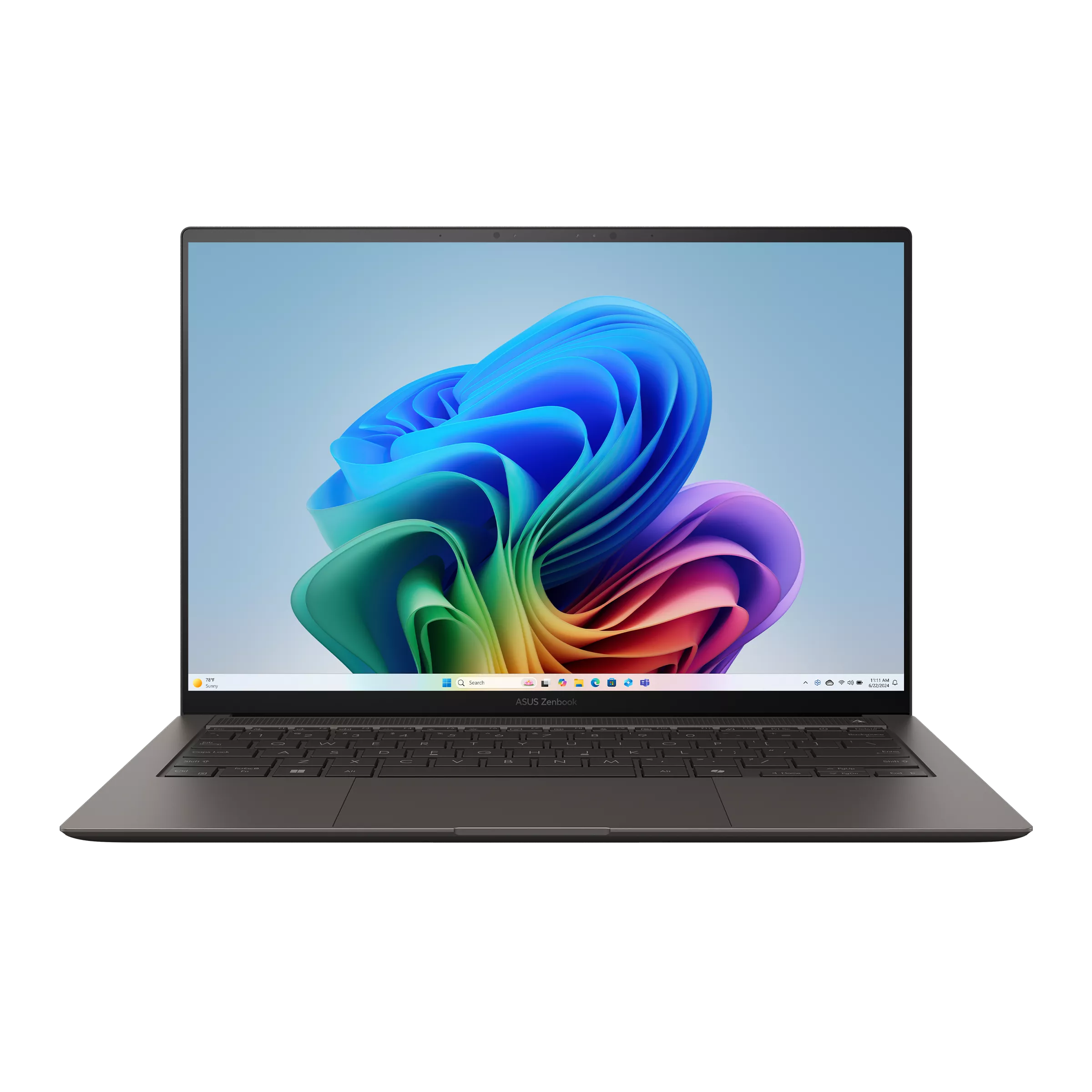
Manufacturer photograph: ASUS specifications.
For someone spending several days at the same desk, the S14 offers a useful middle ground. The AA specification combines a 14-inch high-resolution OLED touchscreen with HDMI, USB-A, two Thunderbolt 4 connections and a headset socket. Its listed mass is 1.20kg. You carry more laptop than the reviewed Yoga, while gaining sockets that can remain useful throughout the stay. ASUS AA hardware column
Consider a recurring assignment where a local monitor, wired audio and an existing USB peripheral are used each evening. That situation supplies a concrete reason to prefer the ASUS arrangement. It avoids paying primarily for a weight reduction that becomes less noticeable once the computer is left on the desk.
Its documented 32GB onboard memory is fixed; confirm that capacity fits the applications you expect to retain. Also keep UX5406AA separate from the older SA generation, despite the shared family name. ASUS configuration details
The Yoga remains more appealing if carrying dominates the day. The larger gram can be preferable if there is no external display and wide documents occupy most working hours. The S14 is the balanced destination-office choice between those priorities.
Apple MacBook Air 13-inch M5 — Best for quiet accommodation work in a Mac-supported organization
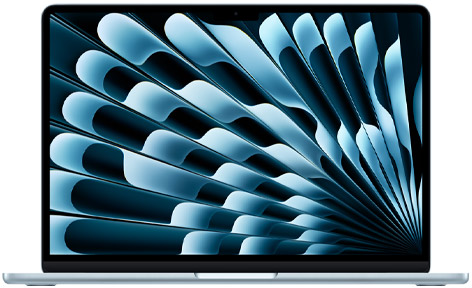
Manufacturer photograph: Apple technical specifications.
The Air makes particular sense when the work environment already travels successfully on macOS. Apple's fanless design removes cooling-fan noise from a shared room or a quiet evening of writing. Its separate MagSafe charging connection also leaves the two Thunderbolt 4 sockets available. The 13-inch model is specified at 1.23kg with a 13.6-inch IPS display. Apple specifications · Apple's M5 design announcement
A longer absence from the office is a poor moment to discover that an essential workflow depends on another operating system. Keep the Air on the shortlist when the required documents, account access and connected devices are already supported. Its advantages then come without the additional work of changing platforms.
Order the needed memory and internal storage at purchase. Apple offers several capacities, but a particular Windows memory figure is not a universal equivalent for a Mac configuration. Apple configuration options
We would select an Intel Windows candidate when a required business tool dictates that environment. For continuous demanding local computation, examine relevant sustained-workload testing before choosing a fanless computer. Quiet operation is a design benefit, not a promise about every professional task.
ThinkPad X1 Carbon Gen 14 — Best for choosing the screen around an unplugged assignment
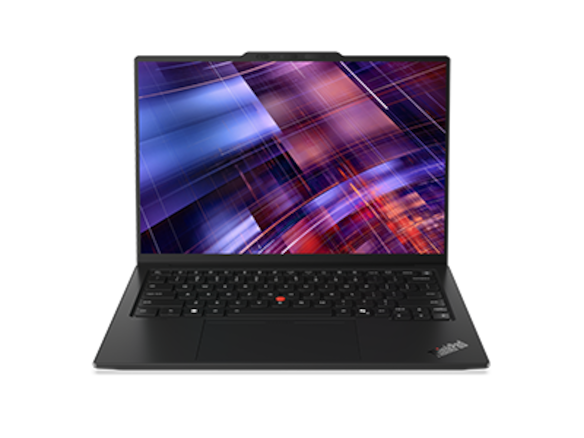
Manufacturer photograph: Lenovo X1 product page.
The X1's useful distinction is the number of decisions concealed by its name. Lenovo documents low-power IPS, OLED and touch variants, with HDMI, USB-A and three Thunderbolt 4 sockets. Cellular and enterprise-management features require the appropriate order. Family starting weights cannot identify the mass of every combination. Lenovo X1 specification
For extended reading away from reliable charging, one review offers particularly relevant evidence: Notebookcheck's 21V70075GE, using a Core Ultra 5 325 and IPS touchscreen, weighed 1,139g and completed 23h13m of its Wi-Fi browsing test. That result supports investigating this configuration, while describing neither an OLED version nor a day of continuous video calls. Identified IPS review
On an extended assignment, obtain the screen and processor details before accepting a quotation. A lighter OLED review sample and the IPS endurance result cannot be combined into an imaginary purchase.
Choose Yoga for its documented lightweight OLED-touch proposition when that is the priority. Choose the X1 when its actual screen, connections or company requirements justify the order. Its available OLED-touch options also prevent treating touchscreen OLED as an exclusive Yoga feature.
ASUS Zenbook A14 UX3407NA — Best for light daily carrying after Windows Arm approval
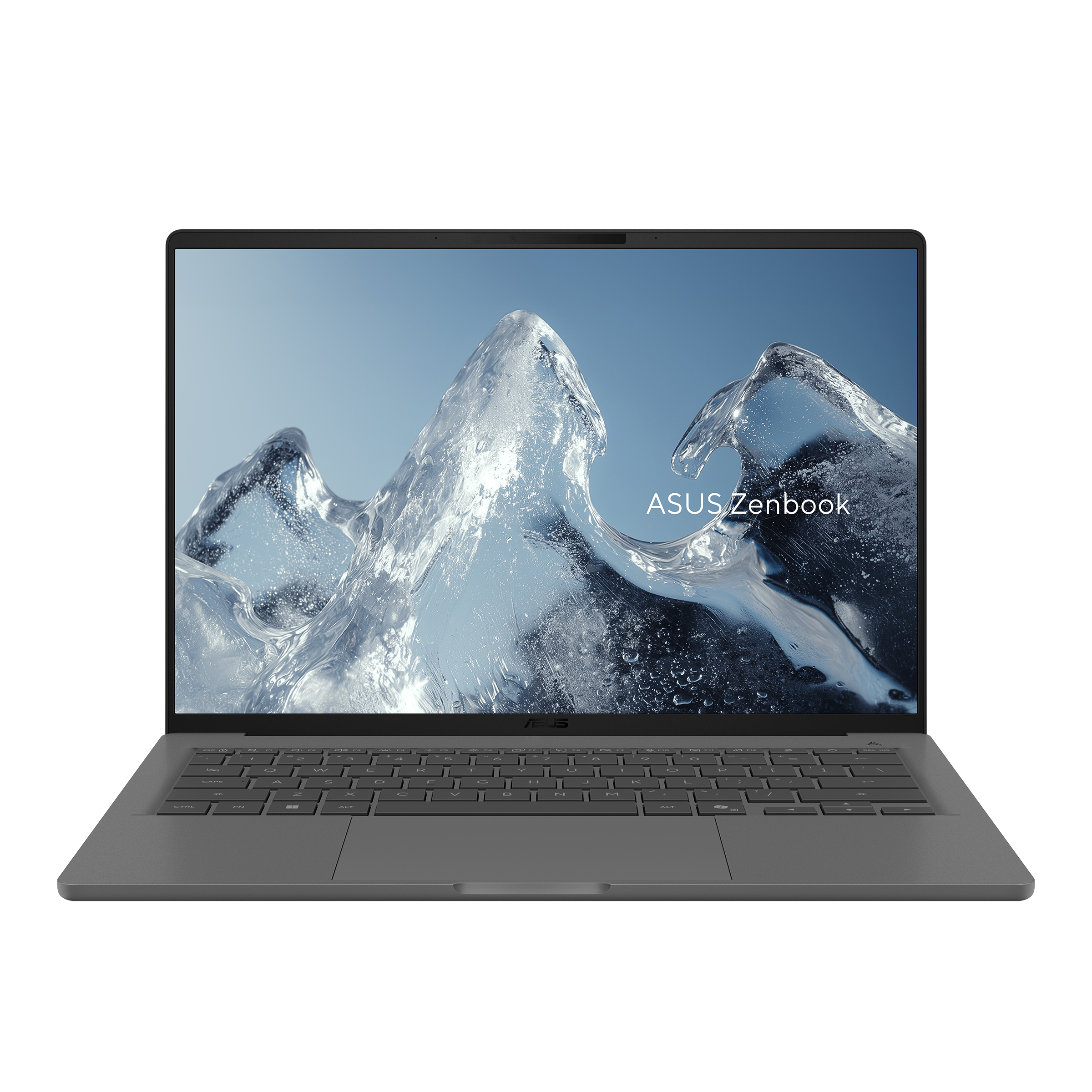
Manufacturer photograph: ASUS A14 specification.
The A14 is worth considering for travel involving repeated walks and public transport. ASUS lists the NA model at 0.99kg, with HDMI, USB-A, two USB4 connections and audio. It presents a meaningful alternative to a light USB-C-only design. The US NA specification uses Snapdragon X2 Elite and a 14-inch FHD OLED panel running at 60Hz without touch. ASUS NA configuration
The longer the trip, the more valuable advance software approval becomes. A familiar application may run while a related security component or peripheral driver does not. Microsoft explains that drivers need compatible support on Windows Arm; application emulation does not remove that requirement. Microsoft Windows Arm guidance
After those dependencies are resolved, the A14 can keep daily carrying light without giving up several conventional connections. Before choosing it for a prolonged stay, decide whether its display characteristics suit hours of your own documents.
Choose the Intel S14 if the platform requirement rules out Arm, or Yoga if a higher-resolution touchscreen is central to the purchase. Do not transfer test results from an older Snapdragon X Elite A14 to this X2 generation. The suffix belongs on the written order.
LG gram Pro 16Z90U — Best for a longer stay without an external monitor
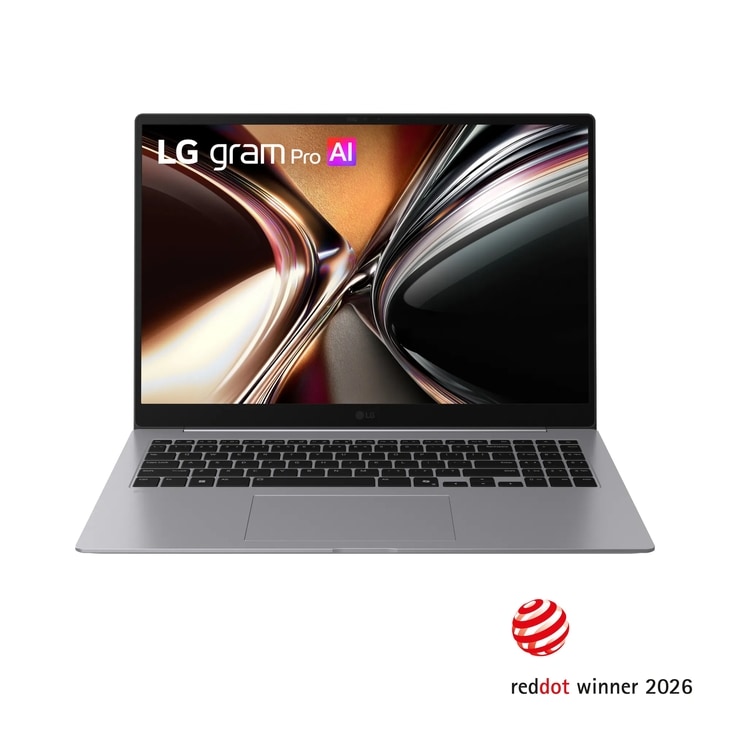
Manufacturer photograph: LG's US model page.
The gram belongs here because a prolonged stay changes what the built-in display must accomplish. LG's global 16Z90U documentation lists a 16-inch, 2880 × 1800 OLED screen at 1,199g, plus a numeric keypad. That creates a different purchasing proposition from a compact computer used mainly to reach a monitor elsewhere. LG global specification
For several evenings reviewing reports or editing spreadsheets, the larger physical panel may be the feature you appreciate most. Open representative files at a comfortable text size before deciding. More screen diagonal does not automatically produce a more useful application layout.
There is a clear physical cost: the body measures 357.7 × 251.6mm. Two USB-A connections, HDMI and Thunderbolt can make a destination setup convenient, but they cannot make that larger rectangle fit a small compartment. LG also lists two M.2 storage slots; that is a documented configuration feature, not permission to disregard service procedures. LG hardware details
Choose the XPS for restricted spaces or Yoga for a smaller 14-inch arrangement. Consider the gram when the machine itself must provide the workspace for a substantial part of the trip. No battery-life victory is inferred from its 77Wh specification.
Dell Pro 14 Premium PA14250 — Best for a defined company assignment and repair arrangement
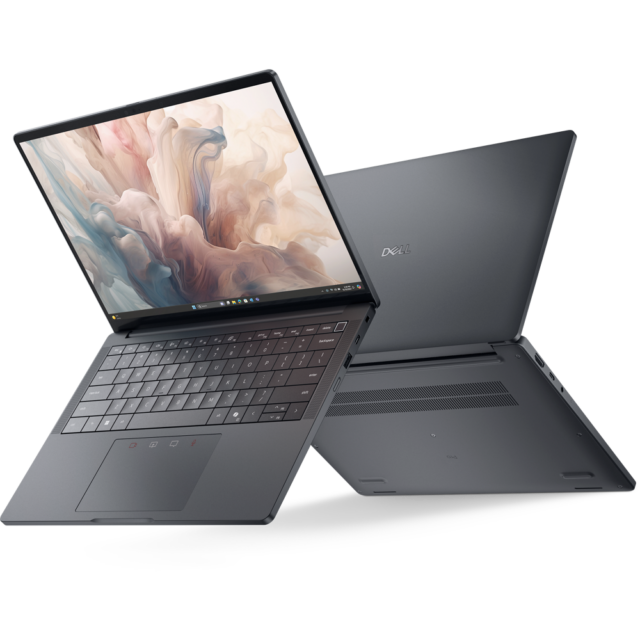
Manufacturer photograph: Dell portfolio announcement.
A company assignment lasting several weeks introduces a different question: what happens if this particular computer needs attention while you are away? The Dell Pro merits investigation when the employer already specifies its configuration, support entitlement and replacement process. Those arrangements must be documented; a business product name cannot establish a repair response in every country.
The PA14250 manual lists HDMI, USB-A, two Thunderbolt 4 ports and a headset connection. Its minimum mass also depends substantially on the panel: the battery-saving FHD+ option starts at 1.141kg, while the OLED minimum is 1.219kg. Pair the desired display with the correct weight when comparing an order. Dell connection inventory · Dell display-specific dimensions
Dell identifies the battery and SSD as customer-replaceable units subject to its procedures. That provides a serviceability reference, without promising local parts or coverage. Dell service categories
A self-funded traveler should compare simpler alternatives before paying for an unused company purchasing package. For frequent carrying, Yoga may supply the preferred screen at lower measured mass. For a supported Dell assignment, the PA14250's value depends on the actual order and recovery route.
HP EliteBook Ultra G1i — Best for an approved HP computer in an established USB-C setup
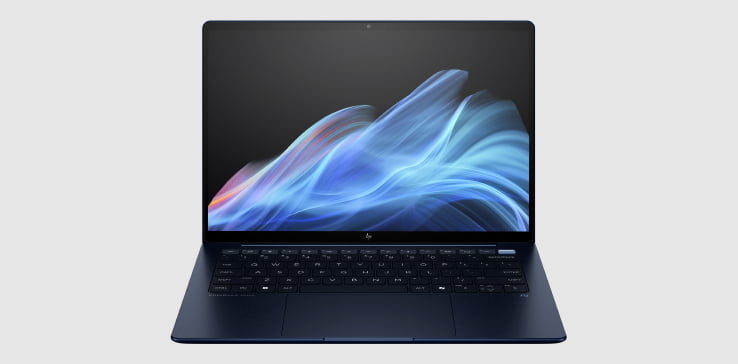
Manufacturer photograph: HP EliteBook Ultra product information.
The Intel G1i is a useful candidate when a temporary office is already equipped for the employer's HP arrangement. HP documents a 14-inch OLED display and three Thunderbolt 4 connections, plus USB-A and audio. This is a convenient basis for a USB-C desk, although an HDMI display still requires an additional connection. HP G1i solution brief
Choose the intended screen carefully. HP's starting figures are 1.195kg without touch and 1.215kg with touch. Neither should be substituted for a weighed retail machine. The G1i also differs from Snapdragon-based EliteBook products with similar names; record the complete model on the purchase specification. HP display and platform details
For a longer stay, its appeal is continuity with an already-approved Windows configuration and a familiar working setup. Confirm the included operating system, required security features and service entitlement rather than assuming the family supplies them all.
We would compare S14 when built-in HDMI matters repeatedly, or Yoga when less daily carrying mass offers more value. The EliteBook earns its place when the documented HP arrangement benefits the assignment, rather than merely adding a corporate badge to an ordinary personal purchase.
HP OmniBook 5 14-he000 — Best for a straightforward approved office workload
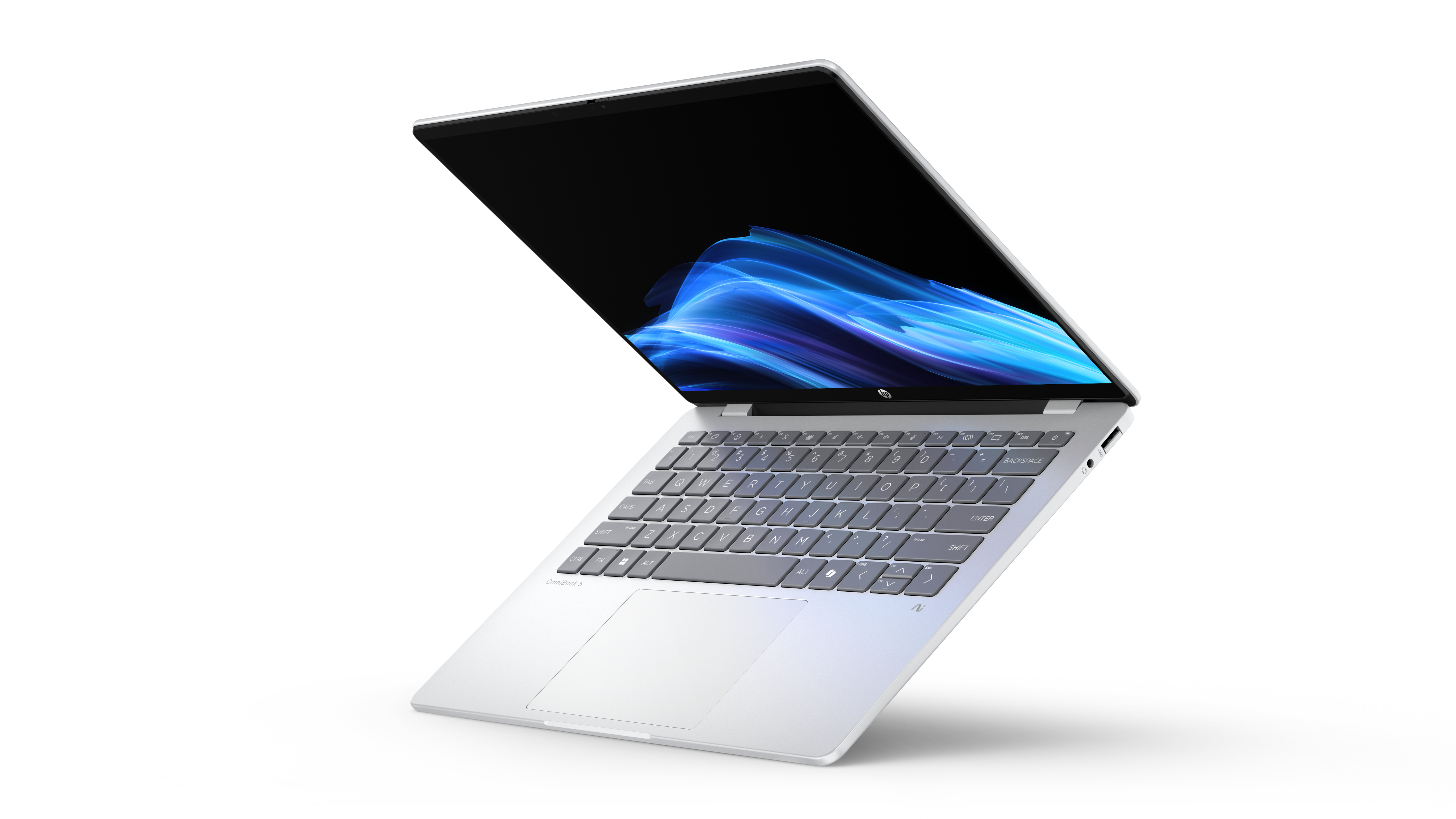
Manufacturer photograph: HP OmniBook announcement.
For an approved browser-and-document role, the useful comparison starts with a sufficient configuration. The identified B81P1AV_1 configuration supplies Snapdragon X Plus, 16GB memory, 512GB storage and a 14-inch OLED touchscreen. Its published mass is approximately 1.29kg. That is a relevant starting point for a buyer whose actual office work fits those resources. HP's identified configuration
The priority is checking the complete application environment on Arm before committing. A browser-based role can still involve a VPN, security agent, printer or other dependent device. Follow the relevant software publisher's support requirements rather than assuming ordinary web access establishes suitability. Microsoft compatibility guidance
Its USB-C ports run at 10Gbps; USB-A and audio are present, while HDMI and Thunderbolt are absent from the listed connections. The base consumer warranty is also different from a specified corporate support package. HP ports and warranty
Choose an approved Intel alternative when a dependency demands it. Choose a more expensive configuration only when its screen, capacity or support provides a benefit you will use. For a straightforward assignment, retaining part of the budget can be a rational portability decision too.
The current price check changes the value discussion. HP's selected 16GB/512GB CTO page displays $1,399.99, while Dell lists a 16GB/512GB Core 5 XPS at $999.99. This makes the OmniBook an OLED alternative to assess after Arm approval, not an automatic low-price recommendation. The two screens, platforms and support offers remain different. HP selected configuration · Dell configuration cards
Published battery tests: compare the measured configurations
The eight numerical results below come from Notebookcheck's original reviews. Its documented WLAN procedure targets approximately 150cd/m², uses a Balanced-like power profile and cycles web pages automatically. This gives the results a more consistent basis than unrelated manufacturers' advertised maximum hours. They were published on different dates, however, with different processors, panels and software. They are not a simultaneous test of ten identical-specification retail orders. Notebookcheck's test procedure
| Review configuration | Screen in that sample | Measured laptop weight | Published WLAN runtime |
|---|---|---|---|
| Yoga 14IPH11: Ultra 7 355, 32GB/1TB, Windows Pro | 14-inch 2.8K OLED touch; 120Hz panel | 978g | 10h36m |
| XPS 13 DX13260: Core 5 320, 8GB/512GB, Home | 13.4-inch 2560×1600 touch LCD; 120Hz panel | 1,062g | 18h26m |
| S14 UX5406AA: Ultra 9 386H, 32GB/1TB, Home | 14-inch 2.8K OLED touch; 120Hz panel | 1,205g | 16h11m |
| Air M5 entry: ten-core CPU/eight-core GPU, 16GB/512GB, macOS | 13.6-inch IPS non-touch; 60Hz panel | 1,230g | 16h11m |
| X1 Carbon 21V70075GE: Ultra 5 325, 32GB/512GB, Pro | 14-inch low-power 1920×1200 IPS touch; 60Hz panel | 1,139g | 23h13m |
| Dell Pro PA14250: Ultra 7 268V, 32GB/1TB, Pro | 14-inch 2.8K OLED touch; 60Hz panel | 1,261g | 15h09m |
| EliteBook G1i B66THAT: Ultra 7 258V, 32GB/1TB, Pro | 14-inch 2.8K OLED touch; 120Hz/VRR panel | 1,180g | 12h02m |
| OmniBook 5 review unit: X Plus X1P-42-100, 16GB/1TB, Pro, 60Wh | 14-inch FHD OLED; 60Hz panel; touch not established | 1,292g | 16h56m |
| A14 UX3407NA | Exact target identity needs reconciliation with the retrieved X2 review | Not assigned here | Not used in this comparison |
| gram Pro 16Z90U | No matching WLAN-method result verified for the specified OLED model | Manufacturer mass is separate | Not verified for this comparison |
Panel refresh specifications in this table are not proof of a forced battery-test refresh setting. X1, S14, Air and EliteBook explicitly describe 150-nit results; for the other admitted rows, that brightness is supported by the publisher's general WLAN method rather than a separately restated setting beside each result. Measured weights belong to review units and exclude their chargers. The EliteBook review's 1,180g measurement should remain separate from HP's advertised starting weights.
Two omissions are deliberate. The retrieved A14 X2 review reports a result, but repeatedly labels its device UX3704NA while the intended official model is UX3407NA. We have not silently resolved that identity discrepancy. The gram review used here explicitly did not perform a battery-drain test. Neither an older A14 generation nor another publication's different battery protocol fills these gaps.
What this evidence changes: Yoga is the lightest of the eight measured units and has their shortest listed WLAN runtime. The X1 IPS sample supplies the strongest browsing-endurance result in this group, with additional device mass. These observations support different purchases; they do not establish how a differently configured order will behave. No common video-meeting or Office-work test was verified, so the table cannot promise either workload's operating hours.
Brightness also changes the itinerary you can plan. In that same X1 review, the maximum-brightness Wi-Fi result was 14h14m, compared with 23h13m at 150 nits. Treat a comfortable outdoor or brightly lit workspace as a separate demand when deciding how much charging margin to leave. X1 brightness-dependent results
US purchase references checked on 9 November 2026
All amounts are displayed USD item prices before sales tax, with shipping or paid upgrades to be confirmed. They exclude assumed education discounts, memberships, trade-ins and financing benefits. These are identified offers observed on the same date, not a claim to have found every seller's lowest price or completed checkout. They are purchase references for the named configurations and sellers, not a brand-price ranking or a score for value. The first group matches memory and storage; it does not equalize processors, screens, operating systems or service.
Offers with 32GB memory and a 1TB SSD
| Identified offer and seller | Processor | Screen and operating system | Observed price |
|---|---|---|---|
| XPS 13 DX13260, Sky, Dell US | Ultra 7 355 | 13.4-inch touch LCD; Home | $1,799.99, displayed promotion |
| A14 UX3407NA-PS77, Best Buy SKU 6676704 | Snapdragon X2 Elite X2E88100 | 14-inch FHD OLED non-touch; Home | $1,799.99 |
| Air M5 Z1L8000KL, B&H | Ten-core CPU/ten-core GPU | 13.6-inch IPS non-touch; macOS | $1,999.00 |
| S14 UX5406AA-XS79T, Best Buy SKU 6676699 | Ultra 7 356H | 14-inch 2.8K OLED touch; Pro | $1,999.99 |
| Yoga 83QK0001US, Best Buy SKU 6671628 | Ultra 7 355 | 14-inch 2.8K OLED touch; Windows 11, edition not established | $2,249.99 |
| X1 Carbon 21V7006GUS, Lenovo seller on Newegg | Ultra 7 365 vPro | 14-inch low-power IPS touch; Pro | $3,579.00, selected seller |
| gram Pro 16Z90U-K.AUB6U1, Abt item 242985 | Ultra X7 358H | 16-inch 2.8K OLED; Home | $3,649.99, displayed offer |
B&H explicitly indicated stock for the Air. The other retail pages displayed purchase controls, but destination stock and delivery require confirmation. Lenovo's separate Yoga CTO listing advertises a $2,049.99 starting price; the accessible listing did not expose a complete matching selection of processor, memory, storage and Windows edition. It is a useful alternative quote to obtain, not a verified substitute for the named retail row.
The X1 reference is a Lenovo-sold, factory-sealed-new offer. The same marketplace page also displayed lower-priced sellers whose individual condition, final configuration, warranty and return terms were not independently checked. $3,579 is not a market minimum or proof that the entire X1 range is overpriced. Compare an eligible written quote. The gram retailer's refresh-rate descriptions also need confirmation against the intended local panel; its price row deliberately identifies resolution and OLED without resolving that inconsistent shortcut specification.
Other capacities and business-service packages
| Identified offer and seller | Configuration | Observed price | Purchase distinction |
|---|---|---|---|
| XPS 13 Core configuration, Dell US | Core 5 320; 16GB/512GB; touch LCD; Home | $999.99 | USB-C 10Gbps, not the Ultra model's Thunderbolt route |
| OmniBook B81P1AV_1, HP US CTO | X Plus X1P-42-100; 16GB/512GB; OLED touch; Home; 59Wh | $1,399.99, labelled MSRP | Configure-to-order; confirm final options and delivery |
| EliteBook B5PW1UT#ABA, Adorama | Ultra 7 258V; 32GB/512GB; OLED touch; Pro | $1,824.99, displayed promotion | Manufacturer-shipped listing; this is not a 1TB order |
| Dell Pro PA14250, pa14250_fixed_61, Dell US | Ultra 7 266V vPro; 16GB/512GB; FHD+ non-touch; Pro | $2,819.95 | Displayed quote includes a 36-month support entry; stock/checkout unconfirmed |
The Dell Pro storefront contains conflicting resolution shorthand; obtain a confirmed screen specification on the order. Its quoted service requires its own terms and destination check. It cannot be priced as though it were the same package as a consumer Home laptop. The accessible OmniBook selection no longer showed the earlier $849.99 promotion, so that old price is not used here.
What these identified offers change: The named Yoga retail quote is $250 above S14 and $450 above the Sky XPS. These are whole-package price differences: S14 uses 356H/Pro, XPS uses 355/Home, and Yoga's Windows edition remains unresolved. They do not price an equal-performance upgrade. Confirm the delivered specification and service terms before deciding whether the carrying and display preferences justify the particular Yoga quote. A14 offers native presentation ports at the XPS price, but its Arm platform and non-touch 60Hz display remain separate decisions. Air fits a supported Mac workplace; equal capacities do not remove the operating-system decision. The gram's larger screen needs to improve enough destination work to justify the identified high quote.
At 16GB/512GB, the listed XPS is $400 below OmniBook. That makes the Intel XPS worth considering for a sufficient office configuration; OmniBook's OLED display and Arm platform still need their own assessment. This price gap applies to the two named offers, not every Intel-versus-Arm purchase. For fleet purchases, compare the delivered operating-system license, service, deployment requirements and replacement arrangements in writing. None of these retail differences quantifies downtime, lifetime cost or a negotiated volume discount.
Match the purchase row to the right battery evidence
The retail Yoga has the review's CPU and capacities, but its Windows edition is unresolved. The S14 purchase uses 356H/Pro, while its review used 386H/Home; Air changes GPU and capacity; both XPS purchases differ from the 8GB review sample. The priced X1 has 365/1TB, not the 325/512GB endurance sample. Dell Pro changes processor, screen and capacity; EliteBook changes SSD size; OmniBook changes SSD, OS and battery rating. A14 and gram have no admitted matching result here. These differences are why price and runtime are presented as two linked evidence sets, not as a single scored retail-SKU league table.
A small footprint and low weight answer different questions
A published kilogram figure cannot describe the amount of table space a laptop occupies. To make that difference concrete, the table below multiplies each manufacturer's stated body width by depth. These are our rectangular-area calculations, not measured screen areas, bag volumes or clearance tests.
| Body dimensions used | Calculated rectangle | Relative to Yoga |
|---|---|---|
| Yoga: 312.6 × 213.8mm | 668.34cm² | Reference |
| XPS: 296.9 × 200.66mm | 595.76cm² | About 10.9% smaller |
| gram: 357.7 × 251.6mm | 899.97cm² | About 34.7% larger |
Sources: Lenovo body dimensions, Dell body dimensions and LG body dimensions. Yoga's depth becomes 216.2mm when its camera bump is included; the calculation uses the stated main-body depth consistently and does not represent every protrusion or open-lid position.
The comparison explains why someone can reasonably choose the XPS despite another candidate having a lighter advertised or reviewed configuration. A smaller rectangle can leave room for other items. Conversely, the gram's low listed mass does not remove its larger physical outline.
For a longer stay, sketch the available desk and place your required accessories beside the proposed laptop dimensions. Then consider whether the lid can open comfortably and whether the working posture is sustainable. This simple planning exercise can expose a limitation that a weight-only shortlist misses. The published portability comparison at Portable Laptop Guide supplies additional configuration-specific carrying evidence.
What changes when a work trip lasts longer?
An extra week away can make a minor inconvenience repetitive. A screen that is sufficient for an occasional correction may become restrictive when it is the only place to finish a report. Conversely, carrying a large display through several daily journeys can become tiresome when a proper monitor is available at every destination. Match the computer to the work you will repeat, rather than the most impressive specification you can afford.
Capacity also deserves a forward-looking decision. List the files that must remain local and the applications that run together. Someone editing documents and accessing an approved remote system has a different requirement from someone keeping several large projects active offline. Buying additional memory should answer that working pattern; buying insufficient fixed memory cannot be corrected by simply adding cloud storage later.
Distinguish three kinds of spending. First comes the configuration that completes the required work. Second comes equipment that improves the temporary workspace. Third comes the applicable support and recovery arrangement. Compare their combined effect before selecting a premium computer that leaves the destination desk uncomfortable. The one-bag business-travel guide develops the separate question of which accessories actually need to accompany you.
For employer-owned equipment, establish who approves work away from the usual location and who handles a failure. Ask about access to a replacement machine and the permitted method of restoring work. Hardware repairability helps explain a service procedure; it does not by itself establish how quickly your assignment can resume.
Frequently asked questions
Which model should I compare first for frequent flights?
Investigate Yoga when you want a very light Intel machine with a 14-inch OLED touchscreen. Compare XPS if the main constraint is a compact enclosure, and A14 if its Arm environment has been approved. Once a model fails an essential requirement, its weight advantage stops being useful.
Should a longer trip automatically mean a larger laptop?
Only if the extra physical display area improves the work you will perform regularly. A longer stay with an external monitor may favour a smaller computer. A short trip involving detailed work on the built-in panel may favour the larger one. Duration is a clue to investigate, rather than a size rule.
Is the X1's long browsing result a promise for the whole family?
No. The quoted result belongs to the named IPS-touch configuration and its review procedure. Change the panel, processor, brightness or workload and the result may change. Keep each measurement attached to its sample instead of constructing a laptop from several configurations' best figures.
What if frequent client presentations dominate the itinerary?
Use the actual connection requirements to narrow the candidates. The S14, A14 and appropriately configured corporate alternatives provide different ways to retain familiar sockets. Our client-meeting laptop comparison concentrates on that use case and its purchasing implications.
What if the same journeys include academic research?
The necessary software environment and local computing requirement may become more important than the carrying preference. Our graduate research and conference comparison examines that separate situation. A recommendation should follow the work taken on the trip, rather than the job title printed on a booking.
Our recommendation
Compare Yoga when frequent carrying, an Intel Windows environment and a 14-inch OLED touchscreen are the priorities, and its shorter measured WLAN runtime is acceptable for the charging opportunities on your trip. Investigate the identified X1 IPS route when longer unplugged work matters more, S14 when direct connections and its particular quote appeal, and Air when the complete work environment fits macOS. A larger gram or an approved business configuration can better suit several days at a destination desk. The appropriate recommendation follows those conditions and the final written order.
Sources
Manufacturer documents establish configuration facts. Original review articles establish only the measurements attributed to their own samples; purchase pages establish the dated offers shown. GAC Motoring's role recommendations and rectangular-area calculations are documentation-based editorial analysis. Technical and offer checks were conducted on 9 November 2026, using exact-model documents and named sellers where available. Related-guide links provide further reading; the comparison tables cite their original evidence. Photographs retain manufacturer image credits.
- Lenovo: Yoga PSREF, Yoga product photograph, ThinkPad X1 PSREF, X1 product photograph.
- Dell: XPS configuration and dimensions, XPS ports, XPS memory, XPS photograph, Dell Pro dimensions, Dell Pro ports, Dell Pro service categories, Dell Pro photograph.
- ASUS: Zenbook S14 AA specifications and photograph, Zenbook A14 NA specifications and photograph.
- Apple: Air specifications and photograph, M5 launch and fanless design.
- LG: Global gram Pro specification, US gram photograph.
- HP: EliteBook Ultra product photograph, G1i solution brief, OmniBook configuration, OmniBook photograph.
- Original tests: Notebookcheck method, Yoga, X1 IPS, XPS, S14, Air entry, Dell Pro OLED, EliteBook, OmniBook.
- Evidence gaps and platform guidance: A14 X2 review with model-label discrepancy, gram review without a drain test, Microsoft Windows Arm guidance.
- Dated US purchase pages: Yoga Best Buy, Yoga CTO starting reference, S14 Best Buy, X1 selected Newegg seller, Air B&H, A14 Best Buy, gram Abt, EliteBook Adorama, Dell Pro offer, XPS Dell, OmniBook HP.